
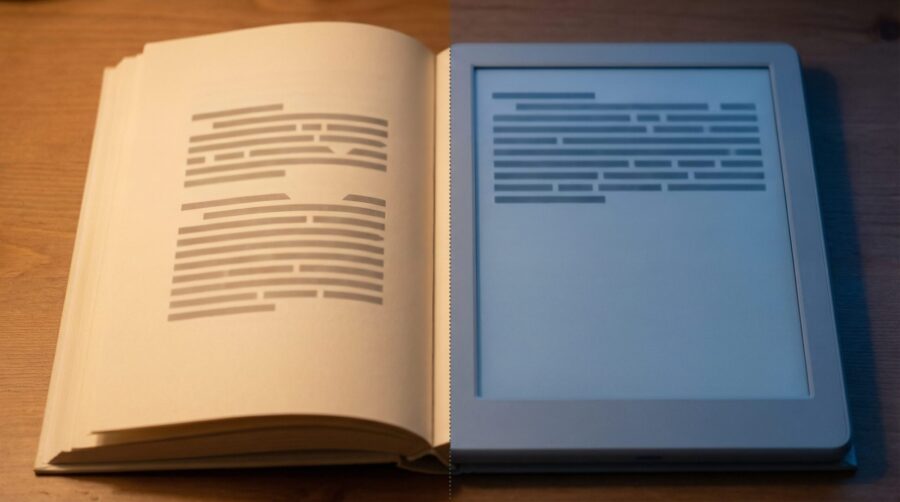
Your ebook title page formatting breaks during conversion because reflowable EPUBs are built on HTML and CSS, not fixed pages. Word’s vertical centering, section breaks, and page-level margin settings are all ignored when your manuscript is converted to EPUB by platforms like KDP, Draft2Digital, or Calibre. The text defaults to the top of the screen because the concept of a “page” simply does not exist in a reflowable ebook.
- Why Word Uses Fixed Pages and EPUB Doesn’t
- Which Word Formatting Features Are Lost in EPUB Conversion?
- How KDP, Draft2Digital, Calibre, and IngramSpark Handle Title Pages
- How to Control Title Page Layout in a Reflowable EPUB
- Should You Use a Fixed-Layout EPUB for Your Title Page?
- Frequently Asked Questions
Why Word Uses Fixed Pages and EPUB Doesn’t
Microsoft Word is a page-based layout tool. Every element sits on a page with fixed dimensions (typically 8.5 × 11 inches or A4), and formatting like vertical centering is calculated relative to those dimensions. Reflowable EPUBs work on a completely different model.
The EPUB 3 specification defines reflowable content as the default layout mode. In a reflowable EPUB, there are no pages at all during rendering; content flows continuously and adapts to whatever screen size, font size, and orientation the reader has chosen. An e-reader might display your title on a 6-inch Kindle screen in landscape mode with 18pt font, or on a phone in portrait mode with 12pt font. The layout engine simply cannot honour a vertical centering instruction that was defined for an 11-inch page.
This is the same reason fonts often change during Word to EPUB conversion: the EPUB format replaces Word’s rendering engine with a CSS-based one that follows entirely different rules.
Which Word Formatting Features Are Lost in EPUB Conversion?
Not everything you set in Word disappears; some formatting translates well and some does not. The features that are consistently stripped or ignored during EPUB conversion are specifically the page-level layout settings.
Vertical centering (set via Page Setup > Layout > Vertical alignment) is the most common casualty. Word calculates vertical position relative to the physical page, and since reflowable EPUBs have no physical page, the setting is discarded entirely. Your title text moves to the top of the reading area.
Other page-level features that do not survive conversion include: manual page dimensions and custom margins set in Page Setup, section breaks used to isolate title page formatting from body text, headers and footers (which have no equivalent in reflowable content), and absolute positioning of text boxes or images on the page. Paragraph-level formatting such as font choice, bold, italic, and basic alignment (left, centre, right) generally does convert, though images can break in their own ways during the process.
How KDP, Draft2Digital, Calibre, and IngramSpark Handle Title Pages
Each major platform handles the Word-to-EPUB conversion slightly differently, but none of them preserve vertical centering.
Amazon KDP’s Kindle Create can convert manuscripts to reflowable format, but it ignores Word’s vertical centering and page-level layout entirely. KDP does offer a fixed-layout conversion path for PDFs, though this turns text into images, which sacrifices searchability and reflowability.
Draft2Digital’s automated conversion tool centres chapter headings and inserts page breaks automatically, but it strips custom font faces and forces a system default serif font. Title page layout beyond basic centering of text is not supported through their Word import.
Calibre’s conversion engine splits documents at page breaks by default and provides extensive options for CSS injection, making it the most flexible tool for authors comfortable with code. Calibre’s documentation recommends using paragraph spacing rather than line breaks to maintain formatting integrity during conversion.
IngramSpark requires EPUB 3.0 for standard reflowable ebooks and strips out fixed-page elements unless the author uploads a Fixed Page Layout EPUB specifically. Fixed-layout EPUBs through IngramSpark have limited retail distribution, so this is a significant trade-off.

How to Control Title Page Layout in a Reflowable EPUB
The correct way to style a title page in a reflowable EPUB is through CSS, not Word’s page layout tools. Several approaches work, depending on how much control you need and which e-readers you are targeting.
The simplest method is a CSS margin-top value. Setting margin-top: 30vh (30% of the viewport height) on your title block pushes it roughly to the centre of whatever screen the reader is using. This works on most modern e-readers, though older Kindles may ignore viewport units.
A more robust approach uses CSS Flexbox: display: flex; align-items: center; min-height: 100vh on a container wrapping your title page content. Flexbox support is strong on Kindle, Apple Books, and Kobo, but some older e-ink devices may not render it correctly.
Authors who want pixel-perfect title pages can create the title as an SVG image and embed it in the EPUB. This preserves exact typography, spacing, and layout regardless of the reading device. The trade-off is that the text inside the SVG is not searchable and may not display well on older e-ink devices with limited resolution.
If you are using formatting software like Vellum, Atticus, or Reedsy, these tools handle title page styling automatically through their built-in templates. The CSS is generated for you, which avoids the Word conversion problem entirely. For a broader look at how reflowable and fixed formats differ, see our post on reflowable vs. fixed-layout EPUB.
Should You Use a Fixed-Layout EPUB for Your Title Page?
Probably not, unless your entire book requires it. Fixed-layout EPUBs preserve exact page dimensions, which means your title page vertical centering would survive intact. However, fixed-layout files sacrifice the core advantage of ebooks: the ability for readers to adjust font size, line spacing, and orientation to suit their preferences.
Fixed-layout EPUBs are appropriate for children’s picture books, graphic novels, cookbooks, and heavily illustrated non-fiction where visual layout is inseparable from content. For text-heavy books (novels, memoirs, business books, poetry), a fixed-layout format creates a poor reading experience on small screens and is rejected by some retailers for distribution.
The practical solution for most authors is to accept that ebook title pages work differently from print title pages, and to use CSS-based methods or dedicated formatting software to achieve a clean, centred layout that adapts to each reader’s device.
Frequently Asked Questions
Can I use a page break before my title page in an EPUB?
Yes, and most conversion tools insert one automatically. A page break ensures your title page starts on a fresh screen, but it does not control vertical positioning within that screen. You still need CSS (such as margin-top or Flexbox) to centre the content vertically.
Will Kindle Direct Publishing fix my title page layout automatically?
No. KDP converts your manuscript to its internal format but does not add vertical centering or adjust title page layout. If your Word file relied on Page Setup vertical centering, the title will appear at the top of the screen on Kindle devices.
Does Vellum or Atticus preserve title page formatting from Word?
These tools do not import Word’s page-level layout settings. Instead, they replace them with their own professionally designed title page templates that use CSS to render correctly across all e-readers. You select a template and customise the text; the software handles the layout.
What is the difference between a reflowable and fixed-layout EPUB?
A reflowable EPUB adapts its content to the reader’s screen size and font preferences, with no fixed page dimensions. A fixed-layout EPUB preserves exact page dimensions and element positions, similar to a PDF. Most text-based ebooks use reflowable format; fixed-layout is reserved for image-heavy books like children’s picture books and graphic novels.
Can I have a fixed-layout title page inside a reflowable EPUB?
The EPUB 3 specification does allow mixing rendition modes within a single file, but e-reader support for this is inconsistent. Apple Books handles it reasonably well, but many Kindle devices and older Kobo readers ignore the mixed-mode declaration. For reliable results, it is safer to use CSS workarounds within a fully reflowable file.
