
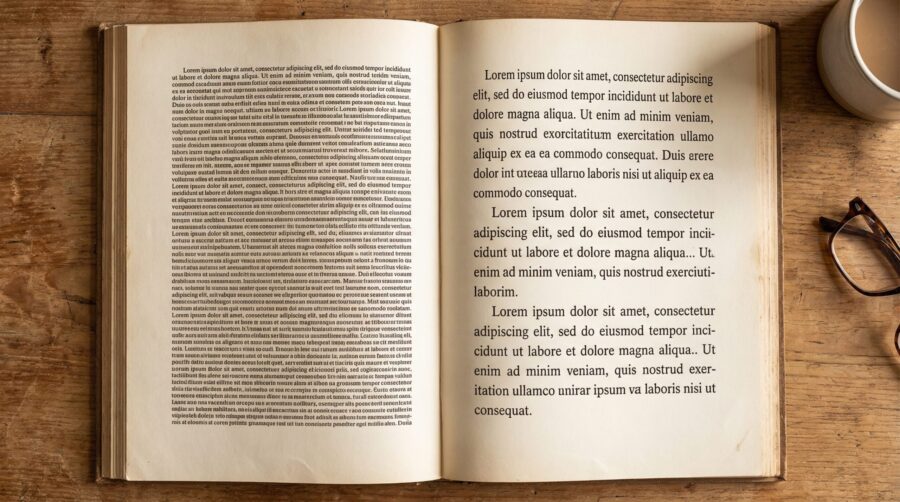
Print book line spacing (called “leading” in typography) should be set between 120% and 145% of your body text font size. For a standard 11pt font, that means 13.2pt to 15.95pt of leading; for 12pt, it means 14.4pt to 17.4pt. This range produces comfortable, professional-looking body text across most trim sizes and serif typefaces used in trade books.
- What Is Leading and How Is It Different From Line Spacing?
- What Leading Range Works for Most Print Books?
- How Does Trim Size Affect Your Line Spacing?
- What Line Spacing Do KDP and IngramSpark Require?
- Why Your Font Choice Changes the Right Leading Value
- Why Print and Ebook Line Spacing Work Differently
- Frequently Asked Questions
What Is Leading and How Is It Different From Line Spacing?
Leading (pronounced “ledding”) is the distance from one baseline of text to the next, measured in points. The term comes from the strips of lead that typesetters placed between rows of metal type to create vertical space. In modern software, this is what you are adjusting when you change line spacing.
The distinction matters because word processors like Microsoft Word express spacing as a multiplier (1.0, 1.15, 1.5, 2.0), while professional typesetting tools like InDesign express it in points. Word’s “single” spacing is approximately 117% of the font size, which is tighter than most professional books use. Word’s “1.5 lines” is approximately 175%, which is looser than any published book would use for body text. Neither preset is suitable for a print book interior. For a full glossary of these terms, see our post on essential typography terms for self-published authors.

What Leading Range Works for Most Print Books?
The standard range for print book body text is 120% to 145% of the point size. For most trade fiction and non-fiction, the sweet spot falls between 130% and 140%.
Here is what that looks like in practice. An 11pt body font with 130% leading gives you 14.3pt line spacing. A 12pt body font with 135% leading gives you 16.2pt. These values produce body text that is open enough to read comfortably across hundreds of pages without feeling loose or wasteful of space.
At the low end (120%), text feels dense and compact. This can work for reference books, textbooks, or scholarly works where readers expect tightly set pages. At the high end (145%), text feels open and airy, which suits large-print editions or books aimed at younger readers. Most novels, memoirs, and general non-fiction sit in the middle of the range.
Line spacing also has a direct impact on your page count. Tighter leading means fewer pages, which reduces printing costs; looser leading means more pages. A change of just 1pt in leading across a 70,000-word manuscript can shift the page count by 20 to 30 pages.
How Does Trim Size Affect Your Line Spacing?
Trim size affects line spacing indirectly through its relationship with font size and line length. The most common US trade book trim size is 6×9 inches, which typically uses 11pt or 12pt body text and produces roughly 250 to 300 words per page.
Smaller trim sizes (5×8 or 5.5×8.5) have narrower text blocks, which means shorter line lengths. Shorter lines are easier to track from the end of one line to the beginning of the next, so they can tolerate slightly tighter leading. Larger trim sizes (7×10 or 8.5×11, common for textbooks and workbooks) have wider text blocks with longer lines. Longer lines need more vertical space between them so the reader’s eye can reliably find the start of the next line.
The typographic rule of thumb is that optimal line length is 60 to 70 characters per line. If your margins, font size, and trim size produce lines significantly longer than this, you should increase your leading to compensate.
What Line Spacing Do KDP and IngramSpark Require?
Amazon KDP accepts line spacing values between 1.15 and 1.5 (expressed as a Word-style multiplier). The KDP community’s most commonly used setting is 1.5, with 1.45 also frequently used. Kindle Create, Amazon’s formatting tool, defaults to single spacing for print, which is the industry standard starting point that authors then adjust.
IngramSpark requires consistent line spacing between 1.2 and 1.4 for standard trade books. IngramSpark also requires PDF/X-1a:2001 format with all fonts embedded, so your line spacing must be finalised before exporting to PDF. Unlike KDP, IngramSpark does not reflow or adjust your interior file; what you upload is what gets printed.
Both platforms will accept files within these ranges without rejection. However, “accepted” does not mean “optimal.” A file with 1.15 spacing will pass KDP’s automated checks but may produce text that is uncomfortably tight for readers. The platform requirements are a floor, not a recommendation.
Why Your Font Choice Changes the Right Leading Value
Different typefaces at the same point size can appear noticeably different in size on the page. Garamond set at 12pt looks smaller than Georgia at 12pt because Garamond has a smaller x-height (the height of lowercase letters relative to the overall point size). A font that “runs small” may need less leading because there is already more built-in white space between the lines.
Popular serif typefaces for book interiors include Garamond, Palatino, Baskerville, and Minion Pro. Each has different proportions, and the leading that works well for one may feel too tight or too loose for another. The only reliable way to judge is to print a test page at your actual trim size and read a full paragraph. On-screen rendering is not accurate enough to evaluate print leading.
Justified text, which is standard for professional print books, also interacts with leading. Justified alignment introduces variable word spacing, and typesetting issues like widows and orphans become more visible when leading is tight. Slightly more generous leading gives the page room to breathe and makes minor spacing variations less noticeable.
Why Print and Ebook Line Spacing Work Differently
In a print book, line spacing is fixed by the designer and reproduced exactly on every copy. In a reflowable ebook, the reader controls font size, typeface, and line spacing through their device settings. Any leading value you set in your manuscript is overridden the moment a Kindle or Kobo reader adjusts their display preferences.
This means line spacing is a print-specific concern. If you are producing both print and ebook editions from the same Word file, the line spacing you set for print will be ignored in the ebook conversion. Ebook reading systems apply their own default leading (typically around 1.2 to 1.3) and let the reader adjust from there.
The practical takeaway is to set your line spacing for the print edition and not worry about whether it will “work” in the ebook. The two formats handle vertical spacing through entirely different mechanisms.
Frequently Asked Questions
Is Word’s 1.5 line spacing the same as 150% leading?
Not exactly. Word’s “1.5 lines” multiplier produces approximately 175% of the font size in actual point spacing, which is significantly looser than the 120% to 145% range recommended for professional print books. To set precise leading in Word, use “Exactly” spacing in the Paragraph settings and enter a specific point value.
Should I use single spacing or 1.15 spacing for my book?
Neither Word preset is ideal. Single spacing (approximately 117% leading) is too tight for comfortable reading across hundreds of pages. The 1.15 preset is only marginally better. Set your spacing manually to a value between 1.3 and 1.4 for most trade books, or use “Exactly” spacing with a point value between 130% and 140% of your font size.
Does line spacing affect my printing cost?
Yes. Tighter leading reduces page count, which lowers the per-unit printing cost on both KDP and IngramSpark. A 1pt change in leading across a full-length novel can shift the page count by 20 to 30 pages. However, readability should take priority over cost savings; uncomfortably tight text increases refund rates and negative reviews.
What line spacing should I use for a children’s book?
Children’s books typically use larger fonts (14pt to 18pt) with more generous leading (140% to 150%) to aid readability for developing readers. Picture books with minimal body text can use even looser spacing. The specific value depends on the age group and how much text appears on each page.
Do I need different line spacing for my ebook?
No. Reflowable ebooks override your line spacing settings entirely. The reader’s device applies its own default leading and allows the reader to adjust it. Set your line spacing for the print edition only; the ebook version will handle spacing independently.
