
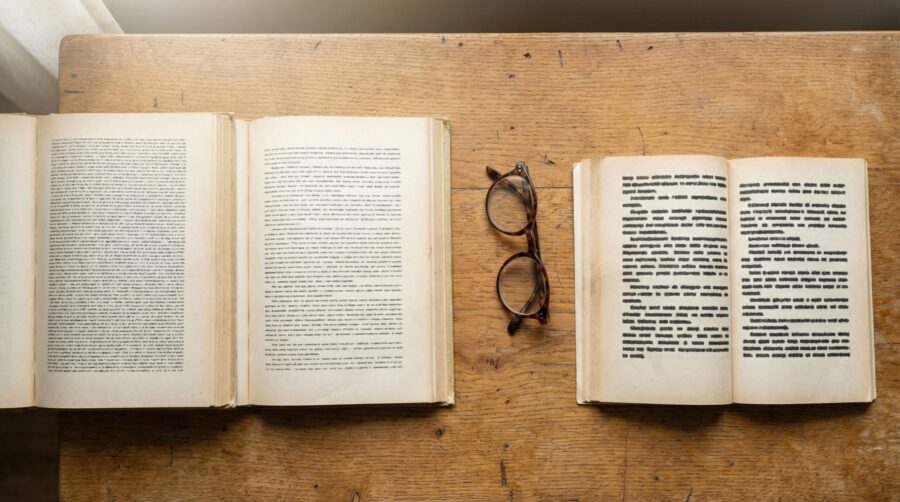
For a 6×9 inch book interior, use a serif font like Garamond, Palatino, or Georgia set between 10pt and 12pt; 11pt is the most common choice and the size Amazon KDP specifically recommends. This combination produces roughly 60 to 70 characters per line, which is the range that typographers and readability researchers consider optimal for sustained reading in print.
Why Does Font Choice Matter for a 6×9 Book?
The font and size you choose directly affect how many words fit on each page, how comfortable the book is to read, and how professional it looks on the shelf. A poor font choice is one of the most visible tells of a self-published book; readers may not be able to name the problem, but they notice when something feels off.
Font size also determines your page count, which in turn affects your line spacing, spine width, printing cost, and retail price. Choosing a font that is too large inflates your page count unnecessarily; too small and the book becomes difficult to read, particularly for older readers.
Should You Use a Serif or Sans-Serif Font?
For the body text of a print book, serif fonts are the standard. Serifs are the small strokes or “feet” at the ends of letterforms in fonts like Garamond and Times New Roman. In print, these strokes help guide the eye along each line, making long passages easier to read. Nearly every traditionally published novel, memoir, and narrative nonfiction title uses a serif font for body text.
Sans-serif fonts (those without the small strokes, like Calibri, Helvetica, or Open Sans) are better suited to headings, captions, and short-form content. Some non-fiction genres, particularly textbooks, technical manuals, and design-oriented titles, use sans-serif body text successfully. If your book is heavy on diagrams, code samples, or instructional content, a clean sans-serif can work. For most fiction and narrative non-fiction at the 6×9 trim size, stick with a serif.
Which Fonts Work Best for a 6×9 Interior?
Several serif fonts have become industry standards for book interiors because they were designed specifically for extended reading at small sizes. Here are the most widely used options for a 6×9 trim:
- Garamond (or its variants: Adobe Garamond Pro, EB Garamond, Cormorant Garamond) is the most popular choice for fiction and memoir. It is elegant, space-efficient, and highly legible at 11pt. KDP’s own formatting guides reference Garamond as a recommended font.
- Palatino (also sold as Book Antiqua or Palatino Linotype) has slightly wider letterforms than Garamond, which makes it a good choice for non-fiction or for authors who want a little more visual weight on the page.
- Georgia was designed for screen readability but works well in print at 10.5pt to 11pt. It is freely available on all operating systems.
- Baskerville is a transitional serif with a clean, authoritative feel. It is popular for literary fiction and academic titles.
- Minion Pro is a modern serif designed by Robert Slimbach for Adobe. It is one of the most common fonts in traditionally published books and handles footnotes and small text sizes particularly well.
Avoid decorative, script, or display fonts for body text. Fonts like Comic Sans, Papyrus, or Brush Script signal amateur production immediately. If you want to learn more about the terminology behind these distinctions, our typography terms glossary covers the basics.
What Point Size Should You Set?
For a 6×9 book, body text between 10pt and 12pt is the accepted range. The specific size depends on the font you choose, because different fonts render at different visual sizes even at the same point value. Garamond at 11pt, for example, appears noticeably smaller than Georgia at 11pt because Garamond has a smaller x-height (the height of lowercase letters like “a” and “e”).
As a starting point: set Garamond to 11pt, Palatino to 10.5pt or 11pt, and Georgia to 10.5pt. Then print a test page at actual size. Reading on screen is not a reliable test; what looks fine on a monitor often feels too small or too large on a physical 6×9 page.
If your audience skews older or your genre calls for a more generous reading experience, move up to 12pt. KDP accepts font sizes from 7pt to 72pt, but anything below 9pt for body text will strain most readers’ eyes.

How Many Characters Per Line Is Ideal?
The real test of whether your font and size combination works is the character count per line. Typographer Robert Bringhurst’s widely cited guideline is 45 to 75 characters per line, with 66 characters as the ideal. For a 6×9 book with standard margins (0.75 to 1 inch on the outside edges, plus the gutter margin on the inside), 11pt Garamond typically lands around 60 to 68 characters per line, which is right in the sweet spot.
If your lines are running shorter than 45 characters, the font is too large or your margins are too wide; the reader’s eye will constantly jump to the next line, disrupting the reading flow. If your lines exceed 75 characters, the font is too small or the margins too narrow, and readers will lose their place when tracking back to the start of the next line. Both problems are common in self-published books and both are easy to fix by adjusting the font size by half a point in either direction.
Understanding how widows and orphans interact with your line length and page breaks will help you fine-tune the final layout.
Do KDP, IngramSpark, and Other Platforms Have Font Requirements?
Amazon KDP does not restrict which fonts you can use, but it does require that all fonts be embedded in your PDF. If you upload a Word document (.docx) instead of a PDF, KDP’s conversion engine will substitute any fonts it does not have access to, which can change your layout. Uploading a print-ready PDF with fonts embedded avoids this problem entirely.
IngramSpark similarly requires all fonts to be embedded in the PDF. Their specifications explicitly state that any font not embedded will be substituted, potentially altering line breaks, page counts, and overall appearance. IngramSpark also recommends avoiding system-dependent fonts and instead using fonts you have a licence to embed.
Draft2Digital’s print service (through their partnership with KDP Print) follows the same embedding requirements. If you are distributing through multiple platforms, creating a single print-ready PDF with all fonts embedded ensures consistency across all of them.
To embed fonts in a PDF from Word, go to File → Options → Save and check “Embed fonts in the file.” In Adobe InDesign, the PDF export dialog embeds fonts by default. In Google Docs, exporting to PDF embeds the fonts automatically as long as you are using Google Fonts or standard system fonts.
Choosing the right font and size for your 6×9 book interior comes down to a simple test: set your preferred serif font to 11pt, print a page at actual size, and count the characters on a full line. If the count falls between 55 and 70, the text is comfortable to read, and the page looks clean, you have found your combination.
Frequently Asked Questions
Can I use different fonts for chapter headings and body text?
Yes. Using one font for headings and another for body text is standard practice in book design. A common approach is to pair a sans-serif heading font (like Montserrat or Lato) with a serif body font (like Garamond or Palatino). Keep the pairing to two fonts maximum; three or more creates visual clutter.
Does the same font size work for a 5×8 book as a 6×9?
Not always. A 5×8 trim has narrower text blocks, so the same font at the same size produces fewer characters per line. You may need to reduce the font size by 0.5pt to 1pt, or tighten your margins slightly, to stay within the 45 to 75 characters-per-line range. Always test with a printed proof.
Is Times New Roman acceptable for a book interior?
Times New Roman is technically legible, but it was designed for narrow newspaper columns, not book pages. At 6×9, it tends to look compressed and dated compared to fonts designed for book-length reading. Garamond, Palatino, or Baskerville are better choices for the same level of familiarity with a more polished result.
What line spacing pairs well with 11pt Garamond on a 6×9 page?
A line spacing (leading) of 1.3 to 1.5 times the font size works well. For 11pt Garamond, that translates to approximately 14pt to 16pt leading, or “1.3” to “1.5” line spacing in Word. The exact value depends on your margin width and the density of your text; print a sample chapter and adjust to taste.
Do I need to buy fonts or are free options good enough?
Several excellent book fonts are free. EB Garamond (available on Google Fonts) is a high-quality open-source version of Claude Garamond’s original typeface. Crimson Pro, Libre Baskerville, and Source Serif Pro are other strong free options. Paid fonts like Adobe Garamond Pro or Minion Pro offer more refined spacing and additional weights, but free alternatives produce professional results for most self-published titles.
