
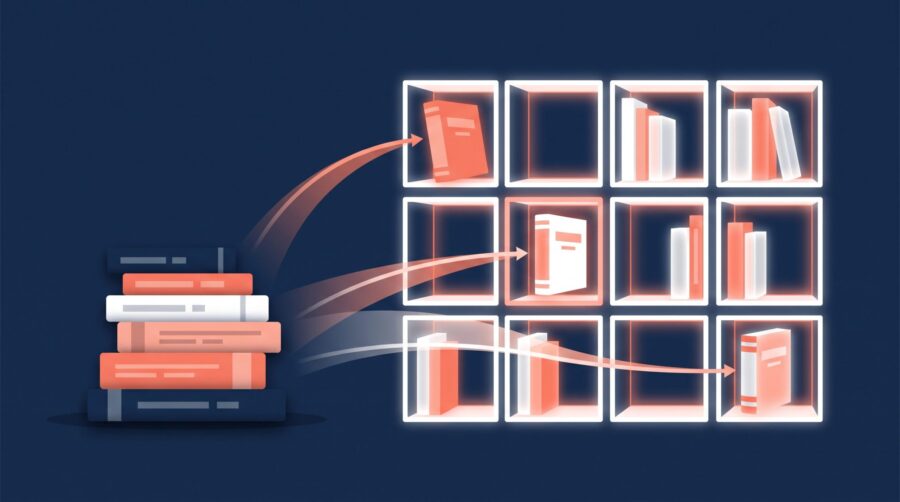
You get up to three categories and seven keywords for each format of your book on Amazon KDP, and together they decide where your book is shelved and which searches it shows up in. This guide explains how the slots work (including what changed when Amazon retired its old industry code list in 2023) and, just as importantly, how to choose categories and keywords that help readers actually find your book.
How Many Categories and Keywords Can You Choose on KDP?
You can choose up to three categories and up to seven keywords for each format of your book. Here, a format is each version you publish: the ebook, the paperback, and the hardcover. Each version is a separate listing, so each one has its own three category slots and its own seven keyword slots.
You fill these in separately for every format, because Amazon does not copy them across for you. In practice, most authors use the same categories and keywords for every format, and that is a sensible default; Amazon even recommends keeping your keywords and description consistent across formats. A similar logic applies across a series: when you set up a book series page on Amazon, each title is still its own listing, and the categories are usually the same for every book while the keywords can vary as each book’s specifics differ.
The main reason to differ between formats is practical rather than strategic. The available category lists are not identical for ebooks, paperbacks, and hardcovers, so a shelf you picked for the ebook may not exist for the paperback. When that happens, choose the closest genuine match rather than forcing an unrelated one.
How Do You Choose the Right Categories?
Start with relevance, not tactics. Categories and keywords are not a way to trick Amazon or readers into thinking your book is something it is not; they are how you tell the store, plainly and accurately, what your book is and who it is for. A romance novel filed under history might get a brief glance from the wrong readers, but it earns returns, poor reviews, and eventually a correction from Amazon.
Within that rule, the goal is to be as specific as you can while staying accurate. Amazon’s own guidance is to pick accurate categories and to balance popularity with relevance: aim for shelves that have real readers, but not ones so broad that your book disappears among thousands of bigger titles. The practical move is to drill down. Inside a broad category like “Fiction,” keep clicking into the narrowest subcategory that genuinely fits, such as “Fiction > Romance > Historical.”
There are two reasons specificity helps. A smaller, accurate shelf has fewer competitors, so it is one your book can realistically rank well on, and ranking near the top of a category is how a book earns a visible bestseller badge. Just as important, a precise shelf puts your book in front of readers who want exactly that kind of story, rather than a crowd browsing a giant general category.
Two cautions. Only go as specific as stays true: the narrow shelf still has to describe your book. And watch for dead-end categories, a minority of shelves in the dashboard that never display a bestseller list at all; check that a category is live on Amazon, with real and comparable books in it, before you select it.
How Do KDP Keywords Work, and Which Should You Pick?
Keywords do two jobs. They help readers find your book through the Amazon search bar, and they help Amazon shelve your book in categories you could not select directly, because some categories only open up when your keywords match them. The same rule applies as with categories: a keyword should describe something real about the book, not chase a popular term that has nothing to do with your story.
Aim to fill all seven slots, but only with terms that genuinely fit; an empty slot is missed reach, and an irrelevant one is wasted. Amazon’s keyword guidance says to avoid words that already appear in your title or your categories, so a common mistake is spending a slot on a word that is already one of your categories. If “historical fiction” is your category, repeating it as a keyword gains you nothing; spend that slot on a setting, a character type, or a theme instead.
Strong keywords describe things a reader searches for that do not already appear in your title: the setting (Colonial America), a character type (single dad, veteran), a character role (strong female lead), a plot theme (coming of age, forgiveness), or the tone (dystopian, feel-good). Enter them without quotation marks so a reader can match on any of the words, and type each phrase into the Amazon search bar yourself first; if the results look nothing like your book, that phrase is working against you. You can change keywords and your description whenever you like, so revisit them once you can see what readers actually search for.
What Changed in 2023: From Code Lists to Amazon Store Categories
Before mid-2023, KDP asked you to pick two codes from an industry list, and Amazon then translated those codes into the shelves readers browse. That translation was often imprecise, so authors were left guessing where their book would land, though you could email KDP support to request up to ten extra placements.
Both of those things are gone. Today you pick directly from Amazon’s own store categories, so what you choose is what you get, and the support route for extra categories has been removed; the three-per-format limit is firm and cannot be raised by asking. The upside is that you can preview every shelf on Amazon before selecting it. One thing to note: if you published a book years ago and it still carries more than three categories from the old system, editing it now resets it to three, so record your current placements before you start.
What Are BISAC Codes, and When Do They Still Matter?
BISAC codes are the book industry’s shared filing system, maintained by the Book Industry Study Group (BISG). A code such as FIC022020 means “Fiction / Mystery & Detective / Police Procedural,” and it means the same thing to Amazon, a bookshop, and a library. On Amazon you no longer pick these yourself; Amazon maps your store-category choice to the closest matching code in the background, so for a book that is only on KDP, BISAC is something you can mostly ignore.
It matters again the moment you distribute wide. If you also publish through IngramSpark or Draft2Digital, those services use BISAC codes to catalogue your book for shops and libraries beyond Amazon. IngramSpark requires at least one code and recommends three, with the most accurate one first. BISG’s own advice mirrors the approach you take with your Amazon categories: choose the most specific code that fits rather than a “General” one. The two systems are separate, so if your IngramSpark code and your Amazon category do not line up exactly, that is normal, not a mistake.
Why Isn’t Your Book Showing in the Category You Picked?
Most of the time, nothing is wrong; the listing just needs time to catch up. Amazon’s category help says category changes can take up to 72 hours to appear on the store, and any change in sales rank can take a little longer. It is easy to panic the day after publishing, but the usual fix is simply to wait out that window before assuming something is wrong.
A few other things move a book off a shelf. Amazon may recategorise a book if the chosen category does not match its content, because it does not want to mislead shoppers, so an inaccurate placement gets corrected. Some categories are unavailable for certain formats or in certain country stores, which is why a shelf that exists for your ebook may not exist for the paperback. And Amazon updates its category list over time, so a shelf that was there last year may have been renamed or retired, quietly dropping the books that sat on it; it is worth checking the shelf on Amazon before blaming your settings.
Reading age is the other common culprit, especially for younger titles. Your book only appears in Children’s or Teen shelves if you set a reading age in the Primary Audience section; leave it blank and those shelves stay closed to you. If you marked the book as having sexually explicit content, Amazon automatically blocks it from Children’s categories regardless of anything else you select.
Choosing categories and keywords well comes down to one habit: be accurate first, then be as specific as you honestly can. Pick the three categories that genuinely fit and drill into the narrowest shelf you can truthfully claim, fill all seven keyword slots with real, relevant terms, and give the store its 72 hours to settle. If you distribute wide, treat your BISAC codes as a separate, parallel job. Once the listing is set, a complete Amazon Author Central page is another discovery surface worth finishing.
Frequently Asked Questions
How many KDP categories can you have in 2026?
You can select up to three categories for each format of your book (ebook, paperback, and hardcover each get their own three). The old option to email KDP support for up to ten categories was removed in 2023, so three per format is the current firm limit.
Should I use the same categories and keywords for every format?
Usually yes. Amazon recommends keeping keywords consistent across formats, and the same categories normally fit every format too. The main reason to differ is that the available category lists are not identical across ebook, paperback, and hardcover, so occasionally you have to pick the closest match for one format.
What is the difference between a KDP category and a BISAC code?
A KDP category is an Amazon store shelf that you choose directly. A BISAC code is an industry-wide subject code, maintained by the Book Industry Study Group, used across the whole book trade. On Amazon you pick categories; Amazon maps your choice to a BISAC code automatically in the background.
How long does it take for a new KDP category to show up?
Category changes can take up to 72 hours to appear on the Amazon store, and any change in your sales rank or bestseller placement can take a little longer. If your book is not in its new shelf after three days, that is the point to look for another cause.
Do I need BISAC codes if I only publish on Amazon?
No. For a book that is exclusive to KDP, Amazon assigns the BISAC code for you behind the scenes, so you never have to touch one. You only choose BISAC codes yourself when you distribute wide through services like IngramSpark or Draft2Digital.
