
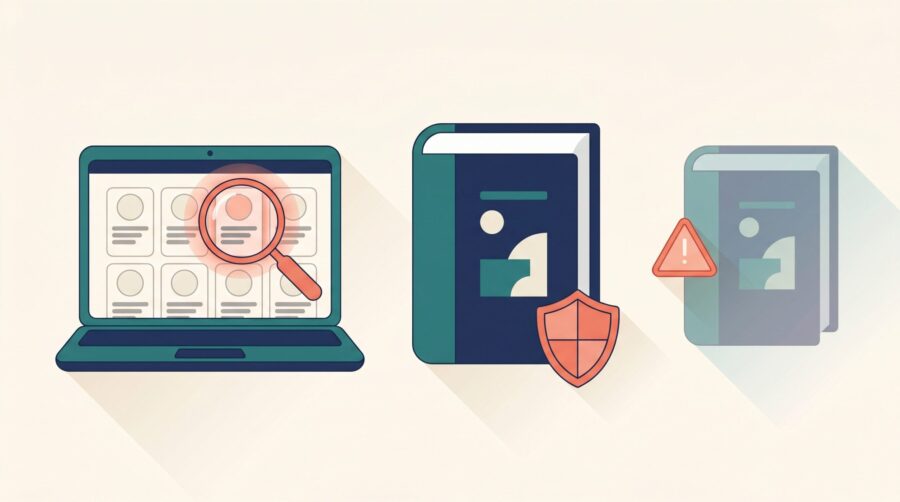
Book piracy feels alarming, but not every odd listing is theft. Some “free download” sites are scams that only copied your cover. Some sellers reselling your paperback are legitimate and still pay you royalties. Real piracy can usually be removed with a formal takedown request. The first step is telling these situations apart.
Is It Really Book Piracy? The Four Situations Authors Mix Up
Most panic about book piracy comes from lumping four very different problems together. Two of them are usually harmless, and two of them call for action. Before you do anything, work out which one you are actually looking at, because the right response is different for each.
The four situations are:
- Fake “free download” sites. A page claims to offer your whole book as a free PDF. Most of these never had your book at all. They scraped your cover image off Amazon and use the “free download” promise as bait.
- Genuine file-sharing sites. A site really is hosting your actual text or ebook file for free download. This is true piracy, and it is the case where a takedown notice is the right tool.
- Third-party sellers on Amazon. A seller you have never heard of lists your paperback, often at a strange price. These are almost always legitimate resellers, not pirates, and you usually still earn your royalty.
- Copycat uploads on Amazon itself. Someone re-uploads your book to Kindle Direct Publishing (KDP) under their own name. This is rare but serious, and Amazon removes these quickly once you report them.
Here is the part that catches most authors out: the listing that triggers the most worry (a third-party seller pricing a paperback at three or four times its cover price) is usually the one that needs no action at all. Meanwhile the genuinely harmful cases (a real file-sharing copy, or a copycat KDP upload) can go unnoticed while attention stays fixed on the harmless reseller. Sorting the four apart first saves a lot of stress.
Are Those “Free Download” Sites of Your Book Real?
Most of the time, no. The majority of sites that promise your book as a free PDF are scams, not real copies. They exist to steal credit card numbers, capture log-in details, or push malware onto the person who clicks “download.” Your book title and cover are just the bait that pulls people in from a search.
You can usually spot a fake. The download never starts without a “free trial” sign-up, a credit card “to verify your account,” or an endless loop of survey pages. The site lists thousands of unrelated titles with identical layouts. None of that is how a genuine pirate site behaves; genuine ones simply host the file.
Here is the most important safety rule, and it applies to you as much as your readers: never attempt the download yourself to “check.” You will not find your book there. You will find a form asking for your details. The risk of malware or a phishing scam is real, and there is nothing to gain. If a worried reader emails you about one of these sites, tell them the same thing: do not enter card details, and do not download.
When the fake site has copied your cover image, you can still send the host a takedown request to get the image removed, and you can ask Google to drop the page from its search results. Be realistic, though: these sites multiply faster than you can report them, so this is whack-a-mole. Most authors send a notice or two for the worst offenders and then let it go.
How Do You Send a DMCA Takedown Notice?
A DMCA takedown notice is a formal request, named after the United States Digital Millennium Copyright Act, that asks whoever hosts pirated content to remove it. You do not need a lawyer to send one, and you do not need to have paid for anything. Copyright is automatic the moment you write your book, so you already hold the right that lets you file. You also do not need to have registered your copyright just to send a takedown notice.
Under the law, the notice has to contain six specific things. The U.S. Copyright Office sets these out in Section 512, and the Copyright Alliance publishes a plain-language guide to writing one. The six required parts are:
- Your signature (a typed name in an email counts as an electronic signature).
- Identification of the work being infringed (your book, with its title).
- The exact web address (URL) where the pirated copy sits, so the host can find it.
- Your contact details, usually an email address.
- A statement that you believe in good faith the copy is not authorised.
- A statement, under penalty of perjury, that your notice is accurate and that you are the rights holder or act for them.
Send the notice to the company that hosts the file, not the website owner, who is often hiding. To find the host, paste the pirate site’s web address into a free “who is hosting this” lookup tool (several exist online); it will tell you which hosting company to contact. Most hosts publish a dedicated abuse or copyright email address for exactly these reports. One practical note: a takedown notice that pastes the exact infringing URL alongside your own published Amazon or retailer link tends to get actioned far faster than a vague complaint, because the host can confirm the match in seconds.
Removing the copy from Google search results
Getting a page out of Google is a separate step from getting the file taken down. Google’s own copyright removal process only de-indexes the page, meaning it stops showing up in Google search results. The file stays live on the server where it is hosted until the host removes it. The two requests do different jobs, so for a stubborn pirate it is worth filing both: one to the host to remove the file, one to Google to hide the page. Google typically processes these within a few business days to a couple of weeks.
Why Is a Stranger Selling Your Book on Amazon at a Strange Price?
This is almost never piracy. When your paperback is available through Amazon, third-party sellers are allowed to list it too, and some set odd prices on purpose. A reseller sells a real, legitimate copy of your book; a pirate sells an unauthorised reproduction. The difference matters, because resellers are not breaking any rule.
The good news for your wallet: in most cases you still get paid. If a third-party seller takes an order for a new copy of your print-on-demand book, Amazon prints a fresh copy to fulfil it, and you earn your standard royalty on that sale just as you would normally. (A genuinely used copy resold second-hand does not pay you a royalty, the same as any used book in any shop.) The high price tags you sometimes see are often speculative: a seller lists at an inflated number, hoping someone buys, or simply parks a price while out of stock.
So when do you act? Only if you suspect the copies are counterfeit rather than resold. Real counterfeits tend to undercut your price sharply and arrive with tell-tale quality problems: flimsy binding, thin or grey paper, and poor print quality. If you are unsure, the simplest test is to order one copy yourself and check it. Compare the ISBN printed inside against your own, and look at the build quality. If it is a genuine copy, you have your answer and you have earned a royalty on it. If it is a fake, you can report it through Amazon’s Report Infringement form, which lets you flag counterfeit or copyright-infringing listings; you do not need a copyright registration number to file.
What If Someone Re-Uploads Your Book to KDP as Their Own?
This is the one piracy case that happens on Amazon itself, and it is the one Amazon resolves fastest. Here someone takes your text and re-publishes it through KDP under their own name, so two listings of the same book exist. Report it and Amazon usually removes the copycat quickly, because it is a clear breach of their content rules.
You report a copycat the same way you report a counterfeit: through Amazon’s Report Infringement form, or, if you are enrolled in Amazon Brand Registry, through the “Report a Violation” tool, which tracks your complaints and tends to be faster. Be specific about which listing is yours and which is the copy. One thing worth knowing: a copyright page printed inside your book is not, on its own, treated as proof of ownership. Keep your original manuscript files, your cover design files, and your publishing dates handy, because being able to show you published first is what settles these cases.
There is one more wrinkle if your ebook is enrolled in KDP Select, Amazon’s programme that requires you to keep the digital edition exclusive to Amazon for 90 days at a time. Amazon’s systems automatically scan the web for copies of Select titles. If a pirated copy of your book turns up on another site, that scan can flag your book, even though you did nothing wrong. The practical takeaway is simple: if you are in KDP Select and you find your book pirated elsewhere, report the piracy to Amazon promptly so your own record stays clear. Reporting protects you, not just your sales.
Book piracy is far less of a threat to most self-published authors than it first appears, but knowing the difference between the four situations lets you spend your energy where it counts. Ignore the harmless resellers, warn readers away from scam download sites, send a clear takedown notice for genuine copies, and report copycat KDP uploads straight to Amazon. A calm, sorted response beats a panicked one every time.
Frequently Asked Questions
Does book piracy actually hurt my sales?
For most indie authors, the direct sales impact is small. People who download a free pirated copy were rarely going to buy in the first place, and traffic to genuine file-sharing copies is usually low. The bigger risks are wasted worry and, with fake “free download” sites, harm to readers who get scammed while looking for your book.
Is a third-party seller on Amazon a pirate?
Usually not. A third-party seller listing your paperback is almost always a legitimate reseller, and you typically still earn a royalty when Amazon prints a new copy to fill their order. It only becomes a piracy concern if the copies are counterfeit, which you can check by ordering one and inspecting the ISBN and build quality.
How do I tell a fake “free download” site from a real pirate site?
Fake sites never let you download without a sign-up, a credit card “to verify,” or endless survey pages, and they list thousands of unrelated titles. They usually only have your cover image, not your text. A genuine pirate site simply hosts the file. Either way, do not attempt the download yourself.
Do I need to register my copyright before sending a DMCA takedown?
No. Copyright exists automatically the moment you create your book, so you can send a DMCA takedown notice without any registration. Registration brings other legal benefits if you ever sue, but it is not required to ask a host or Google to remove a pirated copy.
How can I keep an eye out for new pirated copies?
Set up a Google Alert for your book title combined with words like “free PDF” or “download,” and run an occasional search yourself. Expect to find some fake sites; that is normal for any book that sells. Deal with genuine copies as they appear rather than trying to scrub the whole web at once.
