
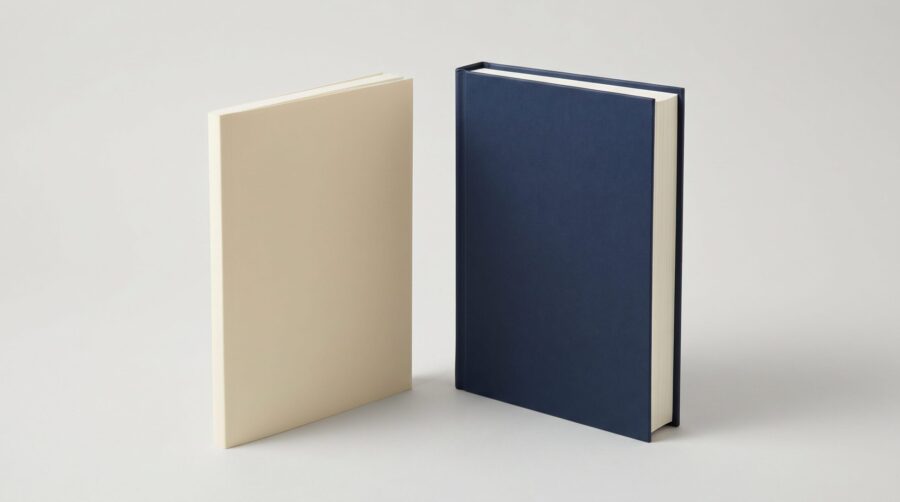
A hardcover wraps its pages in a stiff board case. A paperback uses a flexible card cover, glued straight onto the pages. In the hardcover vs paperback decision, four things change for a self-published author: the printing cost, the trim sizes and page counts you may use, the cover file, and a second ISBN.
- What Is the Difference Between a Hardcover and a Paperback?
- Which Print-on-Demand Services Offer a Hardcover?
- Why Does a Hardcover Cost More to Print?
- What Trim Sizes and Page Counts Can a Hardcover Use?
- Hardcover vs Paperback: What Changes When You Add the Second Binding Style?
- Reader Expectations: How Will the Book Be Read?
- Frequently Asked Questions
What Is the Difference Between a Hardcover and a Paperback?
A paperback and a hardcover differ in one thing, and everything else follows from it: the cover. A paperback cover is a single sheet of laminated card, glued directly to the spine of the stacked pages. A hardcover cover is built around two rigid boards, and the pages are glued into the finished case.
There are then two ways to cover those boards, and both count as a hardcover:
- Case laminate, also called an image wrap. Your artwork prints onto a sheet, a gloss or matte film seals it, and glue holds it around the boards. There is no jacket to remove.
- A dust jacket. A separate printed paper wrapper folds around the finished case. The boards underneath may be plain, cloth-effect, or printed in their own right.
The catch is that not every print-on-demand service makes every option available. (Print-on-demand, usually shortened to POD, means the printer makes one copy only after a reader orders it.) Amazon’s Kindle Direct Publishing (KDP) hardcover documentation, for example, is explicit: KDP prints case laminate and nothing else. Dust jackets, cloth binding, and other hardcover formats are not available there. Other services do make jacketed hardcovers. So the hardback you picture, with a removable jacket over plain boards, is a real product. It simply decides which platform you use.

Which Print-on-Demand Services Offer a Hardcover?
Not every print-on-demand service prints a hardcover, and those that do make different things. So before you decide whether your book needs one, look at what each service actually produces. The table below sets out the position as of July 2026. Above all, it is not a ranking, and none of these is the right answer for every book.
| Platform | Paperback | Hardcover options |
|---|---|---|
| Amazon KDP | Yes | Case laminate only; no dust jacket |
| IngramSpark | Yes | Case laminate; jacketed case laminate; Digital Cloth Cover, with or without a dust jacket |
| Barnes & Noble Press | Yes | Printed case; or dust jacket |
| Draft2Digital | Yes | Not offered |
IngramSpark’s print book options list three hardcover treatments. Case laminate is the first. Next, jacketed case laminate adds a laminated jacket that folds over the case. Finally, a Digital Cloth Cover imitates a woven cloth case, and you can order it with or without a dust jacket. Barnes & Noble Press lets you create a paperback, a hardcover with a printed case, or a hardcover with a dust jacket. Draft2Digital’s FAQ goes the other way: D2D Print offers perfect bound paperback books in black and white only.
Do You Need a Separate Interior File?
Often you do not, and the answer turns on page size rather than on binding. Every platform offers hardcovers in a narrower range of page sizes than paperbacks, as the section on trim sizes below sets out. Two cases follow from that.
If you choose a page size offered for both binding styles, one interior file serves both books. Nothing inside changes, because the pages are identical; only the case around them differs.
Some authors instead want the paperback smaller than the hardcover. Then the hardcover needs its own file, and there are two ways to make it. First, you can reformat the book at the larger size. The text re-flows and the page count usually falls. Second, you can scale the existing pages up. That keeps the typography, the line breaks and the page count exactly as they were, and enlarges everything in proportion, type included. Scaling is faster, and it protects a layout you have already approved. It is also what you will most often find in conventional publishing. Hold the hardback and the paperback of the same novel side by side, and the type is usually one setting printed at two sizes. Either way, the enlargement happens in your file. The press prints what you upload, at the size you chose.
Cover Files Do Not Travel Between Platforms
An interior file will often go to more than one platform unchanged. A cover file will not. Spine width depends on the page count, on the thickness of the paper stock, and, for a hardcover, on the board. Each printer uses its own paper and its own board. So a spine calculated for one platform will not match another’s, even for the same book at the same page count. Build every cover from the template that platform generates.
Pick the platform and the finish before anyone designs the cover. A case laminate file and a dust jacket file are different documents, not two export settings from one file. For instance, the jacket adds fold-over flaps. Meanwhile, the case laminate needs a wrap allowance the jacket does not.
Why Does a Hardcover Cost More to Print?
A hardcover costs more to print than a paperback because the rigid board costs more than the flexible card that wraps a paperback. Nothing else changes, and you can check that for yourself in a minute.
KDP calculates the printing and binding cost for every print book the same way: a fixed cost, plus the page count multiplied by a per-page cost. KDP’s hardcover printing cost page gives the formula and the numbers. For a regular trim size, black ink book sold on Amazon.com:
- Paperback: $1.00 fixed cost + $0.012 per page
- Hardcover: $5.65 fixed cost + $0.012 per page
Now look closely at the per-page figure. It is identical. The paper inside a hardcover costs KDP exactly what the paper inside a paperback costs. The whole difference sits in that fixed cost, which covers the boards, the case, and the binding: $4.65 a copy.
Run KDP’s own worked example. A 300-page book in the United States comes to $1.00 + (300 × $0.012) = $4.60 as a paperback. The same book comes to $5.65 + (300 × $0.012) = $9.25 as a hardcover. The one exception is short books, where only the fixed cost applies. A black ink hardcover of 75 to 108 pages costs a flat $6.80 to print and bind on Amazon.com, with no per-page charge at all.
How Printing Cost Sets Your Minimum List Price
Printing cost sets a floor under the price you are allowed to charge, and the arithmetic is worth following once. KDP pays you a royalty, which is a percentage of the list price, and then takes the printing cost out of it. On Amazon.com the percentage is fixed by the price itself: 50% for a list price at or below $9.98, and 60% for a list price at or above $9.99. The same two bands apply to paperbacks and hardcovers.
KDP will not let you set a price at which the royalty fails to cover the printing cost. In other words, the floor is the printing cost divided by the royalty rate. Take the two books above.
- The 300-page paperback costs $4.60 to print. Divide $4.60 by 50% and you get $9.20. Set the price at $9.20 and your 50% royalty comes to exactly $4.60, which the printing cost swallows whole. You keep nothing. To earn anything, push the price above $9.20. Every extra cent on the price then returns half a cent to you.
- The 300-page hardcover costs $9.25 to print. A hardcover always lands in the 60% band, because even the cheapest one to print, at $6.80, would need $13.60 to cover itself at 50%. Divide $9.25 by 60% and the floor is $15.42.
Watch the boundary between the bands. The half-a-cent rule holds only while the paperback stays at or below $9.98. Raise it by one cent, to $9.99, and the rate jumps to 60%. Your earnings on that book jump with it, from $0.39 a copy to $1.39.
Those are floors, not recommendations. Everything you charge above them is yours to decide, and KDP’s printing cost and royalty calculator will confirm the exact minimum for your own specification.
Working Backwards From a Target Price
Running the calculation the other way is more useful. Start from the price you want to sell at. The floor then tells you the page count you must hit. Page count is the only lever inside the book that moves printing cost, because you choose trim size and ink type once. After that, every page costs the same $0.012 in either binding.
Type size, leading, margins and trim size are what set the page count, and we walk through each of them in how to estimate your book’s page count. The pressure is greater on a hardcover, whose floor starts $4.65 higher. If that floor lands above what comparable books in your category sell for, reach for extent rather than the price tag. A price a reader will not pay earns nothing, however healthy the margin looks.
What Trim Sizes and Page Counts Can a Hardcover Use?
In print-on-demand, a hardcover offers a smaller range of trim sizes than a paperback, and its page count has to sit in a narrower range: a higher minimum, and a lower maximum. Trim size simply means the finished dimensions of a page. The figures below take black ink on white paper as the baseline, because paper and ink choices shift the limits. This is often where the decision gets made for you, because a book that works perfectly well as a paperback may not qualify as a hardcover at all.
On KDP, hardcovers come in five trim sizes: 5.5″ × 8.5″, 6″ × 9″, 6.14″ × 9.21″, 7″ × 10″, and 8.25″ × 11″. Every one of them takes a page count of 75 to 550 pages, whatever paper or ink you choose. The paperback runs from 24 to 828 pages. In addition, it offers sixteen standard sizes, and it accepts a custom trim anywhere from 4″ to 8.5″ wide and 6″ to 11.69″ tall. Two paperback print options do not exist in hardcover at all: standard colour ink, and groundwood paper.
IngramSpark draws its floor in a different place. Its paperbacks go down to 4″ × 6″ on white paper, while its hardcovers on white paper start at 5″ × 8″. Draft2Digital, which prints no hardcover, accepts print books from 32 to 1050 pages across every trim size.
Which Books Are Ruled Out?
Therefore a 60-page poetry collection can be a paperback everywhere, but it is too short for a KDP hardcover. The same typographic levers that control printing cost decide whether a short book clears the 75-page floor, only in the opposite direction. A book set at 10 point on a 6″ × 9″ page runs much shorter than the same words at 11.5 point on 5.5″ × 8.5″. So settle the page size and the type before you commit to either binding style.
Hardcover vs Paperback: What Changes When You Add the Second Binding Style?
In short, four things change when you add a hardcover, and none of them touches the paperback you have already published. A hardcover is a separate product, so you set it up separately. You can add it whenever you like; no window closes.
A new ISBN. A paperback and a hardcover of one title are two products, so they need two numbers. Several services hand out free ISBNs, and you can also buy one from the official ISBN agency for your country. Either way, the hardcover needs a number of its own. (On most platforms an ebook does not require an ISBN; if you assign one, however, it must be different from the paperback and hardcover ISBNs.) You can include all of your ISBNs on the copyright page, and the standard convention is to add the binding style in parentheses after the ISBN: “ISBN 9781234567890 (paperback)”.
A new cover file. Rebuild the cover to the platform’s hardcover template, even when the artwork stays identical. The boards overhang the pages, and the hardcover spine runs thicker at the same page count. We set out what changes between a paperback and a hardcover cover file in a separate post.
Possibly a new interior file. Select the same page size across both binding styles and one interior file covers you. Choose a larger page size for the hardcover and you need a second file, reformatted or scaled up as described above.
A separate listing. Finally, the hardcover carries its own price and its own distribution settings. Amazon groups the formats of one title on a single detail page, and KDP offers a tool to link them when they do not group on their own.
Reader Expectations: How Will the Book Be Read?
The boards on a hardcover absorb the stress that would otherwise crack a glued paperback spine. That difference in durability is where reader expectation comes from. The Northeast Document Conservation Center opens its guidance on library binding with the principle that “books differ in value and in the way they are used.” So the binding should suit the use. Libraries act on that. Titles expected to circulate for years get bound into boards, and a formal industry standard governs how.
Your reader runs the same calculation without naming it. A novel opened once on a beach does not need boards. However, a cookbook held flat on a worktop, a craft manual, a course text, or a reference title gets picked up again and again, and shelved in between. The case is what keeps that book usable. So ask how your book will be read, not which genre label it carries. That answer tells you more than taste does about whether the hardcover earns its extra $4.65 a copy.
None of which means a paperback is fragile. A modern perfect-bound paperback outlasts its reputation, as we found when we looked at how long a print-on-demand paperback lasts. And if you want the full picture of what POD binding can and cannot produce (sewn signatures, foil, ribbon markers, printed endpapers), that is a separate question. We cover it in our post on print-on-demand book binding options.
The hardcover vs paperback question is less about which format wins and more about what your book is allowed to be. So check your page count against the 75-page floor. Check your trim size against the five hardcover sizes. Budget for a second ISBN and a rebuilt cover file. Clear those hurdles, and the hardcover is simply another binding of the same book, not a new project.
Frequently Asked Questions
Does a KDP hardcover come with a dust jacket?
No. KDP prints hardcovers as case laminate only. The cover artwork goes straight onto the boards, under a gloss or matte film. KDP states that dust jackets, cloth binding, and other hardcover formats are not available. IngramSpark and Barnes & Noble Press both offer a dust jacket option.
Do hardcover and paperback editions need separate ISBNs?
Yes. Each print format needs its own ISBN, so a paperback and a hardcover of the same title need two separate numbers. If you already have a paperback on KDP, you must supply a new, unique ISBN for the hardcover edition. Most platforms do not require an ISBN for the ebook, but if you assign one, it must differ from the print ISBNs.
Can I publish a hardcover after my paperback is already on sale?
Yes, at any time. You create the hardcover as a new format from your existing title, with its own ISBN, its own cover file, and its own list price. Adding it does not alter, unpublish, or interrupt the paperback that is already selling.
Which lasts longer, a hardcover or a paperback?
A hardcover. Its rigid boards absorb the flexing that eventually cracks the glued spine of a paperback. That is why libraries favour hardcovers for heavily circulated titles. A modern print-on-demand paperback still outlasts its reputation, because most lines now use a flexible polyurethane adhesive rather than older hot-melt glue.
Is a hardcover better than a paperback?
Neither format wins in the abstract; they are different products with different constraints. A hardcover costs more to print, needs at least 75 pages on KDP, and comes in five trim sizes there. A paperback costs less to print, accepts far more sizes, and can run much shorter or much longer. The length and dimensions of your book settle most of the decision before taste enters into it.
Is a board book the same as a hardcover?
No. A board book is printed on thick paperboard so every page is rigid, and it is made for babies and toddlers rather than the trade hardcover this guide covers. Print-on-demand services such as KDP and IngramSpark do not produce true board books; a hardcover binds standard interior paper inside rigid covers, while a board book is rigid throughout. If you are choosing a binding for an adult or general-market title, hardcover versus paperback is the comparison that applies.
