
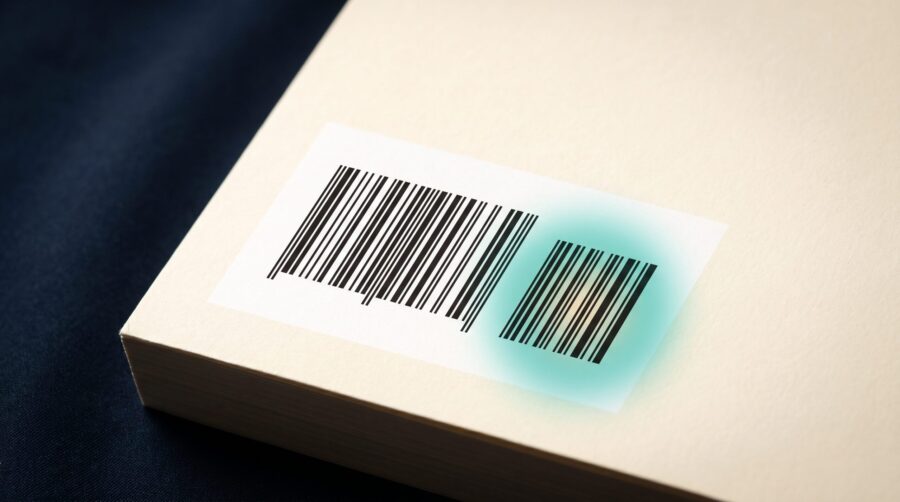
The EAN-5 add-on is the small five-digit barcode printed just to the right of the main barcode on a book’s back cover. It records the book’s price and currency. Most self-published authors never need to set it: print-on-demand platforms add the barcode for you, and they usually leave the price out.
What Does the EAN-5 Add-On on a Book Barcode Encode?
The EAN-5 add-on encodes two things: a currency and a suggested retail price. It is a separate five-digit barcode, and the digits are read as a group. The first digit is a currency indicator. The number 5 means US dollars, 6 means Canadian dollars, and 0 or 1 means British pounds. The remaining four digits are the price, with the decimal point built in.
A worked example makes this clear. Take the code 50799. The first digit, 5, says “US dollars.” The next four digits, 0799, become $7.99. So 50799 means a price of US$7.99. In the same way, 51599 means $15.99, and 52495 means $24.95. You may also see the add-on called the “EAN/5” or simply the price add-on; they are all the same thing.
Because only four digits are left for the price, the format can show amounts up to $99.99 in a straightforward way. Prices of $100 or more are handled by a special arrangement we explain near the end of this post, so set that edge case aside for now and treat the add-on as a simple price-and-currency tag.
There is one special code worth memorising: 90000. It means “no price encoded here.” When a checkout scanner reads 90000, it knows the price is not in the barcode and looks the price up in the store’s own system instead. According to the technical definition on Wikipedia’s EAN-5 entry, the add-on also has no check digit, which is the self-correcting last digit the main barcode uses to catch scanning errors.
Is the EAN-5 the Same as Your ISBN Barcode?
No. They are two separate barcodes sitting side by side. The large barcode on the left holds your ISBN. The small barcode on the right is the EAN-5 price add-on. They look like one unit, but they carry different information and do different jobs.
The main barcode is called the Bookland EAN-13. It is a 13-digit barcode built directly from your ISBN, and on modern books the ISBN starts with 978 or 979. As Bowker (the US ISBN agency) explains in its barcode FAQ, this barcode is what identifies your book to retailers and wholesalers around the world. The EAN-5 to its right is optional and only ever carries a price.
Books use this special “Bookland” barcode instead of the ordinary product barcode (the UPC) you see on groceries, which is why the format looks slightly different from other retail packaging. One more detail follows from this: because the barcode is built from the ISBN, each edition or format of your book carries its own ISBN and therefore its own barcode. The paperback and the hardcover are separate products with separate numbers, even when the cover art is identical.
We covered whether your ISBN already comes with a barcode in a separate post on buying barcodes; here we are only looking at that second, smaller block.
Do KDP and IngramSpark Add a Price to Your Barcode?
It depends on who makes the barcode. When Amazon KDP or IngramSpark generate the barcode for you, it carries no price by default (the 90000 code). If you supply your own cover, you can choose to encode a price instead. So the honest answer is: by default no, but it can be done.
Amazon KDP adds a barcode to your back cover for free when you use its Cover Creator tool or upload a cover that has no barcode of its own. The barcode KDP places uses 90000: KDP has said it does not add a list price to the barcode it generates, partly so you can change your price later without a new cover. KDP’s barcode requirements do allow a priced barcode, but only on a cover you supply yourself, and in that case the encoded price code must match your list price.
IngramSpark works much the same way, with one extra option. If you do not provide a barcode, IngramSpark generates one, and with no price specified it uses 90000. But IngramSpark’s own File Creation Guide also lets you opt in to a priced barcode through its cover template generator: you enter a price and currency and choose to include them in the barcode. The trade-off, which IngramSpark spells out, is that once a price is baked in you cannot change it without regenerating the barcode and the cover.
Whichever platform you use, the price a customer actually pays is set by your rights and pricing metadata on the platform, not by the barcode. A price in the EAN-5 is only a suggested retail price, useful mainly for checkout scanning in physical shops, and it is never required. When we prepare a cover from an author’s ISBN, we generate the barcode ourselves and default to 90000 (or leave the price add-on off altogether), so the author keeps full freedom to adjust their price later. If you also publish to more than one store, our post on using separate ISBNs for KDP and IngramSpark covers how the underlying identifiers line up.
How an Encoded Price Affects Selling Abroad
An EAN-5 can hold only one currency. If you bake a US dollar price into the barcode, that US price travels with the book into every market it reaches. A code that starts with 5 says “US dollars” to a scanner in Toronto, London, or Berlin, where the shelf price is set in a different currency entirely.
This is the single-currency lock, and it is the main reason to think twice before encoding a price. A barcode reading 90000 sidesteps the problem: it tells every retailer, in every country, to apply its own local price. The Book Industry Study Group, which maintains the barcoding guidelines for the US book industry, treats the priced and no-price formats as equally valid choices rather than a requirement to encode a price.
A no-price barcode does not keep you out of bookstores or limit your distribution. For authors selling in more than one country, we steer toward the no-price barcode by default, because a hardcoded US price is exactly the kind of small decision that quietly causes headaches abroad.
When Should You Put a Price on Your Barcode?
For most indie authors, the honest answer is: don’t. Leave the add-on at 90000 unless a specific retailer or distributor asks you for a priced barcode, which is uncommon for self-published print books going through print-on-demand.
There are two practical reasons to prefer the blank price. First, a price you encode today can become wrong tomorrow, and a barcode price can only be changed by uploading a new cover file with a regenerated barcode. Leave the barcode at 90000 and you can adjust your list price whenever you like, because that price lives in your platform metadata, not on the cover. Second, the format has quirks at the high end. For books priced at $100 or more, the old code 59999 historically meant “over $99.99, look it up at the register”; the Book Industry Study Group has since extended the system so prices up to $499.99 can be encoded directly.
Here is the short decision guide we give authors:
- Leave it at 90000 (no price) if: you publish through KDP or IngramSpark, you sell in more than one country, or you expect to adjust your price, run a promotion, or change retailers at any point.
- Consider a priced add-on only if: a specific bookstore, distributor, or sales channel has told you in writing that it requires the price encoded in the barcode, and you are confident the price will not change.
Two more points settle common worries. Ebooks need no EAN-5 at all, because nothing is ever scanned at a checkout; a digital book only needs an ISBN if you choose to assign one, and our post on ISBN-10 versus ISBN-13 explains how those numbers work. And if you do decide to encode a price, remember that your printed cover and your online list price then have to be kept in step by hand.
The EAN-5 add-on is a small, optional piece of your back cover that records a price in a single currency. For nearly every self-published author, the simplest and most flexible choice is the one the platforms already make for you: leave it blank at 90000, keep your pricing free to change, and let each retailer apply the right local price.
Frequently Asked Questions
What does 90000 mean on a book barcode?
90000 is the “no price encoded” code in the EAN-5 add-on. It tells a checkout scanner that the price is not stored in the barcode, so the store looks the price up in its own system. It is the standard default that print-on-demand platforms apply.
What does the first number on a book price barcode mean?
The first digit of the five-digit add-on is a currency indicator. The number 5 means US dollars, 6 means Canadian dollars, and 0 or 1 means British pounds. The four digits after it are the price, so 51299 means US$12.99.
Do I need a barcode for my ebook?
No. Ebooks are never scanned at a checkout, so they do not need an EAN-5 price add-on or a printed barcode of any kind. An ebook only needs an ISBN if you decide to assign one, and many retailers do not require it.
Can I change the price on my book’s barcode later?
A price baked into the barcode can only be changed by uploading a new cover file with a regenerated barcode. This is why a no-price (90000) barcode is popular: your list price lives in your platform metadata, so you can change it whenever you like without ever touching the cover.
Is the EAN-5 add-on required?
No. The price add-on is optional. Your book is fully identified by the main ISBN barcode (the Bookland EAN-13) on its own. A no-price barcode is accepted by bookstores and does not restrict distribution.
