
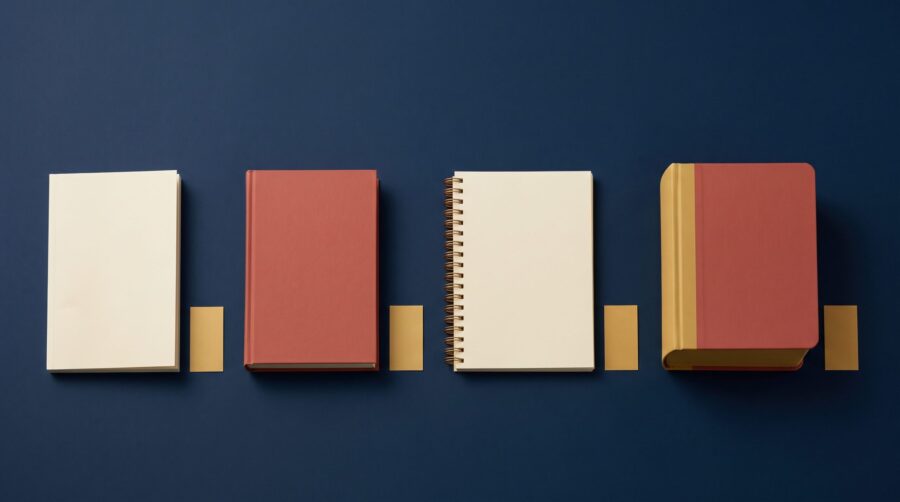
Amazon book format labels come from the binding information a publisher supplies at setup. They do not come from the ISBN, and the author never types them as free text. Amazon stores that value in its own record for the book. That is why you cannot edit the label later, the way you would edit a description or a keyword.
Where Do Amazon Book Format Labels Come From?
Every book on Amazon has a page of its own built from a stored record. The record holds the title, the author, the price, and one entry that decides the word printed just above the price: the binding. Binding simply means how a book is physically held together, whether by glue, by rigid boards, or by a wire coil.
Two separate pieces of information get confused here, so it helps to pull them apart early. An ISBN identifies an edition; it works like a serial number, and its digits describe nothing about the physical object. The binding lives instead in the book’s metadata, the descriptive information that travels alongside the ISBN and supplies everything a retailer needs to build a listing.
So who fills that field in? If you published through Amazon KDP, the binding follows from the kind of print project you started. Reach Amazon through a distributor instead, and it follows from the binding you picked there, which the distributor passes on to Amazon and other retailers. Either way, somebody chose it from a fixed menu at the start.

What Does Each Format Label Mean?
The same few format labels repeat across millions of listings because behind almost all of them sits a shared industry vocabulary: ONIX, the standard publishers and retailers use to exchange book information. EDItEUR, the standards body behind ONIX, publishes two code lists that matter here. List 150 gives the broad form of the product as a two-letter code, such as BC for a softcover. List 175 adds the binding detail as a letter-and-number code, such as B305 for a glued spine.
So here is the full set of labels a book can carry on Amazon, with the code or code pair behind each one. Both lists are current at Issue 74.
| Label on Amazon | What it signals | ONIX code |
|---|---|---|
| Paperback | The broad softcover label, and the one most softcover books receive | BC |
| Perfect Paperback | The same kind of softcover, recorded with a more specific glued-spine value | BC plus B305 |
| Mass Market Paperback | The rack-size trade category, defined by its printing and supply chain as much as its small size | BC plus B101 |
| Hardcover | A book with rigid boards instead of a flexible cover | BB |
| Library Binding | A reinforced hardcover built to survive library lending | BB plus B306 |
| Spiral-bound | Pages held together by a spiral, comb, or coil | BE |
| Board book | Thick card pages, made for very young children | BH |
| Kindle Edition | Amazon’s own name for an ebook read in its Kindle apps | no ONIX equivalent |
| Audible Audiobook | Amazon’s own name for a downloadable audiobook | AJ is the nearest |
| Audio CD | An audiobook supplied on physical discs | AC |
Notice the two entries with no clean match. ONIX has no code named “Kindle Edition” or “Audible Audiobook”, because those are Amazon’s own product names rather than industry terms. That gap matters: it shows the labels are Amazon’s wording, not a direct printout of the standard. Amazon has never published a full map from ONIX codes to the words it displays. Treat the table above as a reliable guide, not a guaranteed conversion.
However, two of these labels cause far more confusion than the rest.
What Is a Perfect Paperback?
A perfect paperback is an ordinary softcover book: the printer trims the pages flat at the spine and glues them to the cover. The name describes the binding method, called perfect binding, and it carries no judgement about quality. The traditional alternative is a sewn binding, where folded sections of pages are sewn together with thread before the cover goes on. Nearly every softcover book you own is perfect bound, including ones labelled simply “Paperback”. That is exactly why the more specific label puzzles people.
Thirty years ago I worked for a traditional publisher that began using short digital print runs to fill back orders for older, out-of-stock titles, usually thirty copies or fewer. Those titles could never have justified an offset reprint, the traditional method that prints hundreds or thousands of copies in one go. The old guard in the office were horrified, and they had a point: the glue was messier and more abundant than with traditional binding. Yet the copies had that same “new book” smell we were used to, and the programme earned more than £1 million in revenue that would otherwise have been left on the table. We told customers plainly that their copies came off a digital press. Even so, we took just one return. Content mattered more than binding, which is the lesson this label carries too. “Perfect” names a method, not a verdict.
What Does “Library Binding” Mean?
A library binding is a hardcover built to a stricter specification than an ordinary hardcover, so it survives repeated borrowing. For example, it usually has sewn sections, reinforced hinges, and heavier cloth over the boards. Few book formats have a formal technical standard behind them. This one does: ANSI/NISO/LBC Z39.78-2000 (R2018), which sets out materials and specifications for binding and rebinding hardcovers intended for library use.
Sometimes a Library Binding listing is not the publisher’s edition at all. A separate supplier can buy a paperback, strip its cover, and rebind it in library-quality boards, then list that rebound copy under its own record. ONIX calls this a “prebound edition”, and it explains an otherwise baffling sight: a hardcover of your book that you never made.
Why Do KDP Books Always Show as Paperback or Hardcover?
Books published through Amazon KDP carry one of two print labels because KDP sells just two print products. Its print options gather every supported softcover size under the single heading Paperback, and every hardcover size under Hardcover. No third printing choice appears on the menu, and no field anywhere in the setup accepts a different term.
The Hardcover option itself covers a single construction. KDP offers case laminate hardcovers, meaning the artwork prints straight onto the boards. Dust jackets, cloth binding, and other hardcover formats aren’t available. A library binding needs exactly those constructions, so KDP cannot make one and therefore cannot label one. Our separate guide to hardcover and paperback for indie authors covers what that limitation means for the book itself.
The mass-market question trips people up for a different reason. It is easy to assume that a small enough trim size, meaning the finished page dimensions, earns the label Mass Market Paperback. It does not. That label describes a trade category rather than a measurement. Rack-size books of roughly 4.25″ × 7″ run on large offset presses. Supermarket and airport wholesalers sell them, and they come back under return arrangements of their own. So Amazon still catalogues a print-on-demand softcover cut to those dimensions as a plain paperback. We compared the two physical products in a separate article on trade and mass-market paperbacks. The question here is narrower: the word on the listing, not the book in your hand.
Can You Change the Format Label After Publishing?
No live Amazon listing offers a field where an author can rename the format, and support cannot relabel a record on request. The value belongs to the catalogue entry Amazon holds for that book. Amazon treats it as a shared attribute, not as copy the seller owns. Anyone trying to list a softcover against an established hardcover record meets the same wall.
Where to Fix the Label Instead
What you can do is work upstream, in whichever system supplied the value in the first place. Three routes cover almost every case:
- Published through KDP: the label follows the print project. A real change means setting up the other project type as a separate format, with its own ISBN. That is a new product, not an edit. It gives you a second binding of the same book, not a second edition of it.
- Published through a distributor: correct the binding in that distributor’s title record, save it, and allow time for the updated record to reach retailers.
- Wrong binding in your ISBN registry account: fix the format field there first. A bad record keeps sending the wrong value on to everyone downstream.
What Else Locks When You Publish?
KDP also locks a group of print details once a book is live, and the list is worth knowing before you publish rather than after. Language, edition number, publication date, ISBN choice, imprint (the publisher name shown on the listing), and trim size all become fixed. Description, keywords, categories, territories, and pricing stay editable. Title, subtitle, and author name sit in between: you can correct them within 72 hours of first publication, after which they lock too. Our guide to updating a self-published book on Amazon walks through what stays changeable.
Why Aren’t Your Formats on the Same Detail Page?
Grouping several formats of one book onto a single Amazon page is a separate job from labelling them, and it goes wrong in its own ways. Amazon brings a Kindle edition, a paperback, and a hardcover together only when their records match closely enough to read as the same work. When they do not match, each format sits alone, splitting the reviews and making the book harder to find.
The Nine Details Amazon Compares
KDP compares nine specific details: title, subtitle, author, contributor, series, language, edition, volume, and, between two print formats, interior type, meaning black-and-white against colour. A single mismatch is enough. “Edition” here means the edition number. A first edition in paperback and a first edition in hardcover should say the same thing. Interior type is the easiest one to miss, because nobody thinks of it as part of the book’s details. Yet a colour paperback and a black-and-white hardcover of the same book differ on it.
Three further conditions apply, and they explain most cases that never resolve. Linking usually takes up to a week after each format goes live, so a gap of a few days is normal rather than a fault. The automatic process also expects you to have published every format through KDP under one account. An ebook on KDP and a print book from another distributor will therefore not link themselves. Author Central is Amazon’s free profile tool for authors. Claiming all your books there gives Amazon a second route to the connection, provided the details line up.
The word above the price on your listing is a stored value, chosen from a menu at setup and passed along a chain you can only reach from the top. Choose the right binding at setup, keep the shared details identical across every format you publish, and both the labels and the grouping will take care of themselves.
Frequently Asked Questions
What is perfect paperback on Amazon?
Perfect Paperback describes a softcover book with its pages glued to the spine, a method called perfect binding. It says nothing about quality or size. Most books labelled simply “Paperback” are bound the same way, so the two labels do not mark out different products.
What is the difference between perfect paperback and paperback?
Usually nothing physical separates them. Both are softcover books, and both are almost always perfect bound. The difference lies in how specific the binding data in Amazon’s record happens to be. “Perfect Paperback” appears when the record carries a more detailed binding value, “Paperback” when it carries a broader one.
What format label does my book get if I use a distributor instead of KDP?
Your listing gets whatever binding you selected in that distributor’s title setup, because that record is what reaches Amazon. Where a distributor’s setup offers only paperback and hardback bindings, those are the only labels your listing can carry.
Does the format label affect sales rank or reviews?
Not directly, though grouping does. Each format holds its own sales rank, while reviews and ratings are shared across formats Amazon has linked onto one detail page. Unlinked formats split their reviews, and each looks less established than the book really is.
Can I publish a spiral-bound or board book on Amazon?
Not through KDP, which offers only paperback and hardcover print projects. Instead, those labels appear on listings that publishers and distributors supply when they produce those bindings. Reaching Amazon with one means printing it elsewhere and supplying the listing through a distribution route that handles the format.
