
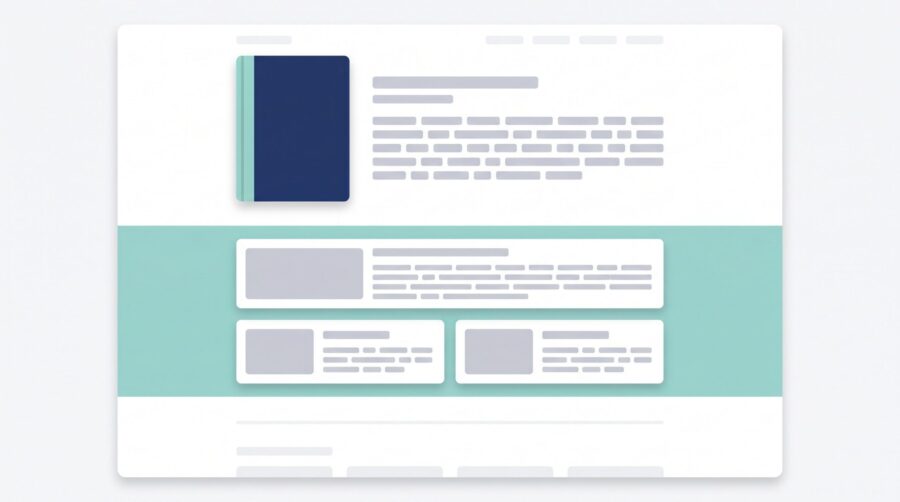
KDP A+ Content is a free Amazon feature that lets you add image-and-text blocks, called modules, to your book’s product page. The content shows up in a “From the Publisher” section below your book description. Any author with a published KDP book can use it; you do not need Amazon Brand Registry or KDP Select.
What Is KDP A+ Content, and Where Does It Appear?
A+ Content is a set of formatted blocks that Amazon adds to your book’s detail page, the page a shopper lands on when they click your title. Each block, which Amazon calls a module, combines pictures and text in a fixed layout. You pick the modules, drop in your own images and words, and Amazon stitches them into a tidy strip on the page.
The finished content appears in a section labelled “From the Publisher.” On most book pages this sits below the written description and the “Customers also bought” row, so a reader has to scroll down to reach it. According to Amazon’s KDP help pages, the feature is designed to let you show, rather than just tell, what is inside the book.
One point worth clearing up early: A+ Content is not your book description. The description is the plain block of text near the top of the page, the part many authors call the blurb. A+ Content is separate, lives lower down, and can hold formatted images that the description cannot. Authors often write a strong blurb and assume the job is done, never realising there is a second, more visual slot sitting empty further down the same page.
Is KDP A+ Content Free, and Who Can Use It?
Yes, A+ Content is free, and most self-published authors already qualify. There is no fee to create it, and you do not need to enrol in KDP Select or join Amazon Brand Registry to use it on a KDP book. You simply need a book that is published through KDP, or an ebook set up for pre-order.
This is a recent change that trips up older guides. A+ Content started as a feature for big brands and required Brand Registry, which most indie authors could not easily get. Since 2021 it has been open to any standard KDP account, a shift the Independent Book Publishers Association (IBPA) describes as making the tool available to self-publishers at no cost. If you read a tutorial that tells you to register a brand first, it is out of date.
The one limit to keep in mind is the type of account. A+ Content on a book is tied to the KDP platform. A title that you have published only through another printer or distributor will not show this exact KDP feature unless it is also sold through an Amazon program that supports it. That is a statement of how the systems connect, not a reason to favour one platform over another.
In our experience, this is the most common free tool indie authors leave switched off. The blurb gets polished for days; the A+ Content slot is never opened. Because it costs nothing and applies to a book you have already published, it is one of the lowest-effort improvements available on the page.
How Do You Add A+ Content to Your Book?
You build A+ Content inside the A+ Content Manager, which you reach from the Marketing area of your KDP account. The process is a short sequence of steps, and you submit the finished layout to Amazon for a quick review before it goes live.
- Sign in to your KDP account and open the Marketing tab at the top of the screen.
- Scroll to the A+ Content section and read the A+ Content Guidelines first, so you do not build something that gets rejected.
- Choose the marketplace you are creating for, such as Amazon.com, then click Manage A+ Content and Start creating A+ Content.
- Add modules one at a time, then drop in your images and type your text. You can reorder or remove modules as you go.
- Enter the ASIN (the unique product code Amazon gives every book) or search for your title to attach the A+ Content to it.
- Click Submit for approval.
After you submit, Amazon reviews the content before publishing it. Its Create A+ Content help page states that compliant content appears on your detail page within eight business days, though busy periods can stretch that. Treat eight business days as a guide rather than a guarantee, since review queues vary.
One project can be applied to more than one ASIN, so the same A+ Content can appear on both your paperback and ebook detail pages. The detail that catches people out is the marketplace rule: A+ Content has to be created and published separately in each Amazon store. Build it once for the US site, then copy it across to the UK and other marketplaces you sell in; it does not flow between them on its own.
What Modules and Images Can You Use?
Amazon offers 17 modules, and you can use up to five of them in a single layout. Each module is a template with a set arrangement of image and text areas, so your real job is supplying good pictures and short, clear copy that fit the slots.
Common modules include a large header image with text, single image blocks set to the left or right of a paragraph, an image-and-text overlay for showing a series of pictures, and a company-logo block that you can use once per project. You mix and match these into a layout that reads from top to bottom. Amazon’s A+ Content examples page shows what each module looks like before you commit to one.
Image quality is where most of the work goes. Save pictures as JPG or PNG, aim for a high resolution (300 DPI is a safe target), and keep each file within Amazon’s size limit, which tops out at 3 MB. Module sizes vary; the standard image-header-with-text block, for example, calls for an image around 970 × 600 pixels, and the small logo block is 600 × 180 pixels.
A practical warning from the files we see: low-resolution screenshots and web images look fine on your laptop and turn soft or jagged once Amazon displays them at full width. If a graphic contains text, such as a chapter list or a small chart, build it at the target size from the start rather than blowing up a small copy, which only makes the blur worse.
What A+ Content Can’t Do: Video, Quotes, and Search Ranking
A+ Content has firm boundaries, and knowing them up front saves a rejected submission. The big three: no video, a hard cap on quotes, and no direct effect on search ranking.
First, video is not allowed. Amazon’s A+ Content guidelines state that the book version of the feature does not support video or animated images, so plan around still pictures only. Second, you may include a maximum of four quotes or endorsements, and they must come from well-known publications or public figures, with the source named. Reader reviews and editorial reviews are handled in a different place; those come through Author Central, which we covered in our guide to setting up your Amazon Author Central page. Whether you can quote a reader’s review at all, and who owns the words once you do, is a separate question: our explainer on quoting a reader’s review in book marketing covers what the retailers’ terms and the FTC rule allow.
Third, A+ Content does not feed Amazon’s search index. The words inside your modules are not treated as keywords, so adding A+ Content will not, on its own, push your book up the results. Discoverability is a separate job handled by your categories and keywords, which we explain in our post on how KDP categories and keywords work. A+ Content helps after a shopper has already arrived on your page.
You may also see mentions of Premium A+ Content, which unlocks extra modules and is linked to larger sales lifts. That tier is generally reserved for sellers with Amazon Brand Registry and is not part of a standard KDP author account, so treat it as outside the indie toolkit for now rather than a feature to chase.
Does A+ Content Actually Increase Sales?
Amazon reports a small average lift in sales for products that use A+ Content, but it is an average, not a promise, and results vary widely by book. Amazon has stated the basic feature can raise sales by roughly 3 to 10 percent for books, and its general figure across all product types is “up to 8%.” Those numbers describe a tendency across many listings, not what any single title will do.
The mechanism matters more than the headline percentage. A+ Content works by improving conversion, the share of page visitors who decide to buy, rather than by bringing more visitors in. Because better conversion can indirectly help a book’s placement, the two effects are linked, but the content itself is doing the persuading, not the ranking.
There is a quieter benefit that rarely makes the sales pitch: setting expectations. A clear chapter-by-chapter breakdown for a non-fiction book, or a character list or map for a novel, tells shoppers exactly what they are getting. Readers who know what to expect are less likely to return the book or leave a disappointed review because it was not what they imagined. For series authors, the same logic supports linking the books together, which we cover in our guide to building a book series page on Amazon.
So the honest answer is that A+ Content is a low-cost lever that tends to help a little and rarely hurts, as long as your images are sharp and your copy is clear. It is not a switch that floods a quiet page with sales.
A+ Content will not transform a book overnight, but it is free, it applies to a title you have already published, and it gives shoppers a clearer picture of what they are buying. If you have a published KDP book with an empty “From the Publisher” section, building a simple layout with a few sharp images is one of the easier wins on your detail page.
Frequently Asked Questions
Is A+ Content the same as my book description?
No. Your book description (the blurb) is the plain text near the top of the detail page. A+ Content is a separate, more visual section that appears lower down under “From the Publisher,” and it can include formatted images that the description cannot.
Can I add A+ Content to an ebook?
Yes. A+ Content is available for books published through KDP, including ebooks, and for ebooks set up for pre-order. One A+ Content project can be attached to several ASINs, so the same content can show on your paperback and ebook pages.
Can I edit or remove A+ Content after it’s published?
Yes. In the A+ Content Manager you can suspend a project, which hides it from your detail page while keeping it saved for later editing or re-publishing, or you can delete it, which removes it from the page and permanently erases the project. A deleted project cannot be recovered.
Does A+ Content work on IngramSpark or only KDP?
The A+ Content feature described here is part of the KDP platform and applies to books sold through KDP. Other distributors and printers have their own tools and detail-page options; this is a difference in how each system is built, not a ranking of one against another.
How long does A+ Content take to appear?
Amazon reviews every submission before it goes live. Compliant content usually appears on your detail page within eight business days, and often sooner, though high-volume periods can extend the wait.
