
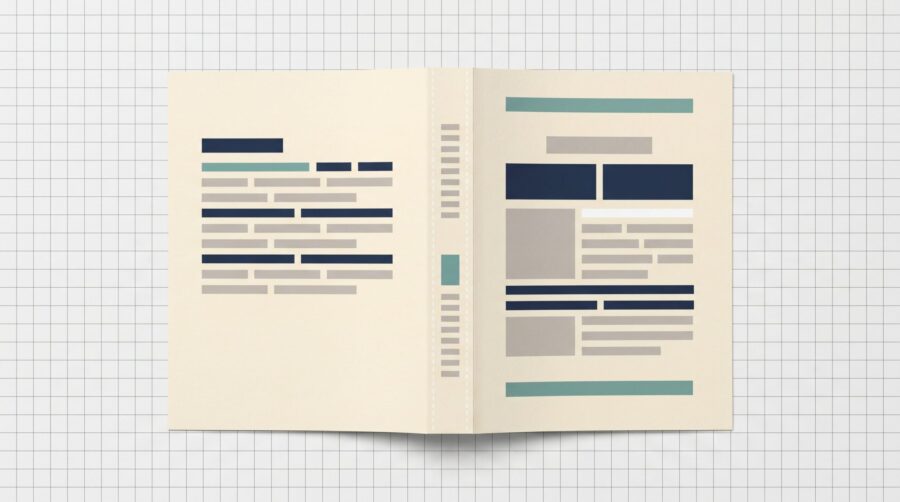
Yes, you can print text on a book spine, the narrow edge that faces out on a shelf, but only if the book is thick enough. Amazon KDP needs at least 79 pages before it allows spine text. IngramSpark allows it from 48 pages for a paperback and 18 for a hardcover. Thinner books print with a blank spine.
How Many Pages Does Your Book Need for Spine Text?
Every print platform sets a minimum page count before it will allow text on the spine, because a thin book has a spine too narrow to hold readable letters. The number depends on where you print, so check your own printer’s specification.
On Amazon KDP, the paperback cover guidelines state that books with fewer than 79 pages should not have text on the spine. KDP’s hardcover setup page applies the same threshold, though its published hardcover guide does not restate it. IngramSpark sets lower thresholds: its File Creation Guide allows spine text on perfect-bound paperbacks (books whose pages are glued into a flat spine) from 48 pages, and on hardcovers from 18 pages.
| Platform | Format | Minimum pages for spine text |
|---|---|---|
| Amazon KDP | Paperback | 79 pages |
| Amazon KDP | Hardcover | 79 pages |
| IngramSpark | Paperback (perfect bound) | 48 pages |
| IngramSpark | Hardcover | 18 pages |
Note that the count includes every page in your interior file, not just your main text. The title page, copyright page, dedication, table of contents, back matter (anything after your main text, such as an “About the Author” page), and any blank pages at the beginning or end all count toward the total.
But How Wide Will Your Spine Actually Be?
Clearing the page-count minimum tells you spine text is allowed, not how much room you have. Two things decide spine width: page count and paper, since thicker paper produces a wider spine at the same number of pages.
You do not need to work this out by hand. The KDP Cover Calculator takes your trim size (the finished dimensions of your book, such as 6″ × 9″), paper type and page count, and returns the exact spine width plus a cover template to design against. IngramSpark offers the same through its Spine and Weight Calculator. Generate the template for your own book rather than reusing a figure from another title; our guide to calculating spine width explains the measurement.
What Are the Rules for Spine Text Size and Placement?
Two limits apply to anything printed on a spine: how small the type can be, and how close it can sit to the folds. KDP asks for spine text of at least 7 point (very small type: most paperback body text is 10 or 11 point), sitting inside the spine safe area, the strip down the middle of the spine where text is guaranteed to stay put, at least 0.0625″ (1.6 mm) from each fold. IngramSpark scales its clearance to the spine: 0.0625″ (1.6 mm) on spines 0.35″ or wider, and 0.03125″ (0.8 mm) on narrower spines.
These margins exist because of binding tolerance: the fold can land up to about a sixteenth of an inch from where the template puts it, so type set at the spine’s edge can drift onto the front cover on some copies.

Every cover template marks these zones for you. Our guide to reading a print book cover template shows how they sit within the full cover file: the single sheet carrying your back cover, spine and front cover as one image.
For a narrow spine, we recommend setting the title and author name in all caps (every letter a capital) rather than title case (capitals on the main words only). For the most part, capital letters share a single height, so they form one even band on the spine. Lowercase letters do not: ascenders, the strokes that rise on letters like b, d and h, and descenders, the tails that drop below the line on g, p and y, make the band taller and uneven, and they appear smaller than capitals. Also, an uneven band is harder to centre visually in a narrow safe area.

What If Your Book Is Too Thin for Spine Text?
If your book falls below your printer’s page minimum, the spine prints blank, and that is not a fault. For novellas, poetry collections and children’s books it is completely normal, and a solid colour or artwork carried across the spine reads as deliberate where squeezed text reads as a mistake.
If you want the title on the spine, add real pages rather than padding with blanks. A half-title page (a page carrying just the book’s title, ahead of the full title page), an author bio, or a page of blurbs all count toward the total. Padding with blank pages will not work on KDP, which rejects manuscripts with more than four consecutive blank pages at the beginning or middle, or more than ten at the end. Our guide to estimating your book’s final page count covers the typographic choices that change a book’s length.
Spine text comes down to one number: your final page count. Check it against your platform’s minimum, generate the cover template for your trim size and paper, and keep type inside the spine safe area at or above the minimum type size.
Frequently Asked Questions
What is the minimum page count for spine text on KDP?
KDP requires at least 79 pages before it will print text on a book’s spine. Books with fewer than 79 pages print with a blank spine, because the spine is too narrow to hold readable text.
Do hardcovers follow the same rule as paperbacks?
On KDP, hardcovers and paperbacks share the same spine-text threshold of 79 pages. IngramSpark differs, allowing hardcover spine text from 18 pages against 48 for a paperback, because a hardcover’s rigid spine carries text at a lower page count than a glued paperback spine.
Do ebooks need spine text?
Ebooks have no physical spine, so spine text does not apply to them. You supply only the front cover image, not a full cover file carrying a back cover, spine and front cover together. Spine rules apply to your print files alone.
Why did my spine text shift onto the front or back cover?
Spine text drifts onto a cover because of binding tolerance: the fold can land up to about a sixteenth of an inch from where the template puts it. If your type sits at the spine’s edge rather than inside the safe area, that shift can carry it across. KDP asks for at least 0.0625″ (1.6 mm) of clearance from each fold, while IngramSpark allows less on narrow spines.
How small can spine text be?
KDP sets a minimum of 7 point for cover text so it stays legible at shelf size, and other printers publish their own minimums, so check the one you are using. On a narrow spine even 7 point can look tight, so keep spine type simple and avoid thin or decorative fonts that lose definition when printed small.
