
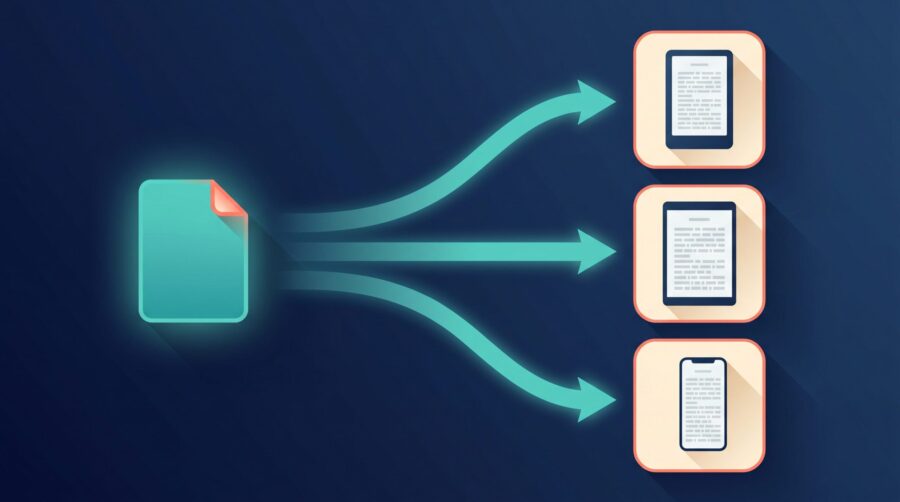
In most cases you do not need a separate ebook file for Amazon, Apple Books, and Kobo. One well-built, error-free EPUB works across all three. You only need different files in a couple of situations: when your back matter links to a particular store, or when a complex layout has to be adjusted for each reading system.
Does One EPUB File Work on Amazon, Apple Books, and Kobo?
Yes. For a standard reflowable ebook (text that reflows to fit any screen size), a single EPUB file is accepted by all three stores. EPUB is the shared ebook standard, so you build one file and upload the same file to each retailer. The same is true beyond the big three: Google Play Books and Barnes & Noble Press are built around EPUB too, so the file you prepare for Amazon, Apple Books, and Kobo will normally serve those stores as well. What differs between retailers is not the file you supply; it is what each one does with it after you upload.
Amazon Kindle Direct Publishing (KDP) accepts EPUB (along with Word documents and its own Kindle Package Format) and then converts your file into Amazon’s internal Kindle format behind the scenes. You never see that converted file; readers download it to their Kindle app or device. Because Amazon re-encodes the file, the version a Kindle reader sees is not byte-for-byte the EPUB you uploaded.
Apple Books serves your EPUB more directly, and it is the strictest of the three about quality. Apple’s publishing guidelines require every submitted EPUB to pass the current version of EPUBCheck, the official validation tool, with no errors. Apple also recommends keeping the file under 1 GB (with a hard limit of 2 GB) and interior images no larger than 4 million pixels.
Kobo, through Kobo Writing Life, is built around EPUB as well; it does not accept a raw PDF as your sellable ebook. In practice this means the same validated EPUB you give Amazon and Apple Books is the file Kobo wants too. The ebooks we prepare for authors are usually a single master EPUB that goes to every store; the file is identical, even though each store presents it slightly differently.
So why does the same book sometimes look a little different on a friend’s Kindle than on your iPad? That is the conversion and rendering step at work, not a different file. Amazon turns your EPUB into a Kindle file; Apple Books and Kobo display the EPUB closer to how you built it. The text, chapters, and images are the same; only the fine styling can shift. For most novels and straightforward non-fiction, readers never notice, and one file is all you ever upload.
When Do You Actually Need a Separate Ebook File?
There are two situations where a separate file is genuinely worth the trouble: store-specific links in your back matter, and fixed-layout or image-heavy books. Outside those cases, one file is fine.
The first reason is links inside the book. Amazon’s hyperlink guidelines list links to commercial ebook stores other than Amazon as not allowed inside a Kindle book. Kobo takes the same position from the other direction: its EPUB best practices say Kobo will reject a book that links to Amazon, Apple Books, or other rival retailers, and it encourages you to point any “more books by this author” links at Kobo instead. So if your back matter sends readers to a store to buy your other titles, that link should match the store the file is sold on. The simplest fix is to remove store links from the EPUB entirely; if you keep them, you will need a version per store with the matching link.
The second reason is layout. Fixed-layout ebooks (children’s picture books, cookbooks, and other image-heavy or design-led titles) hold a set page design rather than reflowing. Amazon’s free Kindle Create tool exports these as a KPF file, which is locked to Amazon and cannot be uploaded to Apple Books or Kobo. A fixed-layout title therefore often needs one file for Amazon and a separate fixed-layout EPUB for the other stores. For a normal text-based book, though, the format almost never forces a second version; the back-matter links are the far more common reason an author ends up juggling more than one file, and removing those links keeps you on a single EPUB.
Why Do Drop Caps and Tables Sometimes Need Per-Store Tweaks?
Even when one EPUB is accepted everywhere, certain design touches can look different from store to store, and may need extra coding to behave on each one. This is about appearance, not acceptance: the file still passes; it just may not look identical on a Kindle, an iPad, and a Kobo e-reader.
The reason is that each reading system supports a different slice of CSS, the styling rules that control how the page looks. Apple Books and Kobo tend to respect more of your styling, while Amazon strips out some of it during its conversion to the Kindle format. A drop cap (the oversized first letter at the start of a chapter) that floats neatly in Apple Books can shift, shrink, or disappear on an older Kindle, because the styling that positions it is one of the things Amazon may not carry through.
Tables are the other common trouble spot. A table that fits a wide screen can overflow or wrap awkwardly on a narrow phone in reflowable text, and different readers handle that differently. For complex tables, authors sometimes simplify the layout or, for very visual tables, place them as images so they hold their shape everywhere. Embedded fonts behave the same way: a decorative chapter-heading font may show on one store and fall back to a plain font on another, depending on how each reader treats the font you packaged inside the file.
Drop caps, tables, and special fonts are the elements most often given fallback coding and previewed on more than one device before release; they are the parts of an otherwise-portable EPUB most likely to need a little per-store attention. None of this means you need a separate ebook file for each store. It means the one file should be built so the fragile parts degrade gracefully wherever it lands, which is a coding choice inside a single EPUB rather than a reason to make several.
How Can You Check Your EPUB Works on Every Retailer?
Run your file through EPUBCheck before you upload anywhere. EPUBCheck is the official validator that Apple Books and Kobo run on ingest, so passing it cleanly is the single best way to avoid a rejection at upload. You do not need to install anything technical: Draft2Digital hosts a free online EPUB validator that runs EPUBCheck on your file and returns a plain pass or fail result, and it even attempts to repair some common problems automatically. A clean pass means the same file is ready to upload to Amazon, Apple Books, and Kobo without changes; a list of errors means something in the file needs fixing before any store will reliably accept it.
The catch is that the validator’s report can be hard to act on. EPUBCheck logs are written for developers, with error codes like PKG-026 (a font declared with the wrong file type) rather than plain-English fixes. If the report is full of codes you cannot interpret, that is normal and not a sign you have done anything wrong. The practical move is to send the report back to whoever prepared your file; we cover exactly that handoff in our guide to checking an EPUB someone else formatted for you. If you formatted it yourself and you are stuck, a formatting service (ours included) can read the log and tell you what needs to change.
It also helps to validate the file before every upload, not just the first time, since small edits can reintroduce errors. And if you would rather not manage three store accounts at all, a distributor such as Draft2Digital lets you upload one EPUB once and sends it out to Amazon, Apple Books, Kobo, and others on your behalf; the trade-off is a cut of royalties in exchange for not handling each store yourself.
For most authors the headline is reassuring: build one clean, validated EPUB and it will carry you across Amazon, Apple Books, and Kobo. Keep a separate file only when your back-matter links have to match the store, or when a fixed-layout design forces Amazon’s KPF apart from everyone else’s EPUB. Validate before each upload, preview the fragile parts like drop caps and tables, and you can publish wide without making a new file for every shop.
Frequently Asked Questions
Does Amazon KDP accept EPUB files?
Yes. Amazon KDP accepts EPUB files directly and converts them into its own Kindle format after you upload. You can supply the same EPUB you use for Apple Books and Kobo; you do not need to convert it to a different format first.
Can I upload the same EPUB to Apple Books and Kobo?
Usually yes. If the file passes EPUBCheck without errors, the same EPUB works for both Apple Books and Kobo. Apple Books is the stricter of the two about validation, so a file that passes for Apple will normally satisfy Kobo as well.
Why does Amazon reject links to other bookstores in my ebook?
Amazon’s hyperlink guidelines do not allow links to competing ebook stores inside a Kindle book. Kobo applies the same rule in reverse and rejects links to Amazon or Apple Books. If your back matter links to a store, give each retailer a version whose links match that store, or remove the store links altogether.
Do fixed-layout ebooks need a separate file for each store?
Often, yes. Amazon’s Kindle Create exports fixed-layout books as a KPF file that only works on Amazon. To sell the same fixed-layout title on Apple Books and Kobo, you generally need a separate fixed-layout EPUB built for those stores.
What is the easiest way to publish one ebook to all retailers?
Use a distributor. Services such as Draft2Digital let you upload a single EPUB once and push it to Amazon, Apple Books, Kobo, and other stores, in exchange for a share of royalties. Going direct to each store gives you full control but means managing several uploads yourself.
