
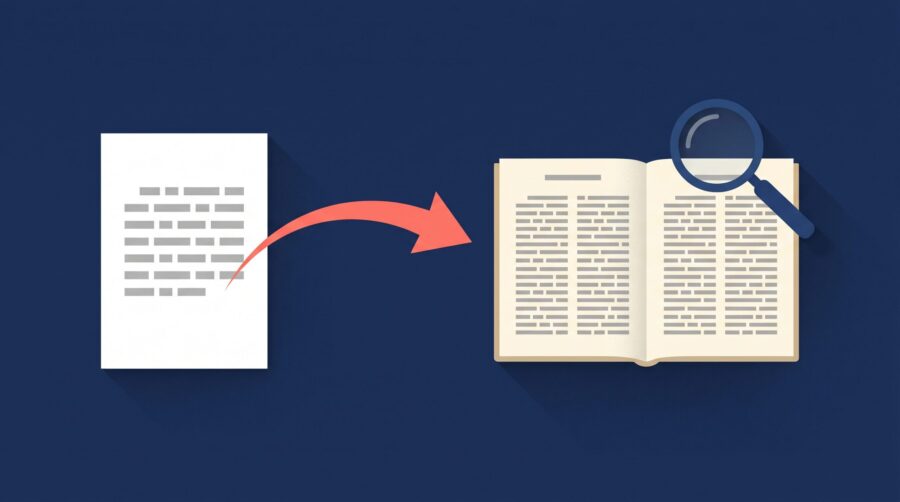
Edit before formatting your book, not the other way round. Finish every round of editing (developmental, line, and copy editing) while your text is still a plain manuscript, then lay out the pages. Editing after formatting shifts the layout, breaks page breaks, and can introduce fresh errors. The only real exception is a light proofread of the formatted proof.
- Should you edit before formatting, or after?
- What happens if you edit after formatting?
- Should you edit in manuscript format or final layout?
- What "semi-formatting" should you do before editing?
- Is the order the same for ebooks and print books?
- The one exception: proofreading the formatted proof
- Frequently Asked Questions
Should You Edit Before Formatting, or After?
Edit before formatting. The clean sequence is developmental editing first, then line editing, then copy editing, and only then formatting; a final proofread comes last, once the pages are laid out. Editing shapes the words. Formatting arranges those finished words on the page. When you do them in that order, each stage builds on a stable version of the text underneath it.
Industry bodies describe self-publishing the same way. The Alliance of Independent Authors lists editorial work ahead of design and production in its rundown of avoidable book-production mistakes, and treats “publishing before the editing is truly finished” as a classic rookie error. In practice, formatting is a production step, so it waits until the editorial work is genuinely done. If you want a refresher on how the editing stages differ, our guide to developmental editing, copy editing, and proofreading walks through each one.
There is a practical reason this order matters so much for indie authors specifically. Many self-publishers wear every hat, so the temptation is to open one file, start tidying sentences, and drift into fiddling with fonts and spacing at the same time. The files that reach us in a tangle almost always share that trait: the author edited and formatted in the same document, so every reworded sentence quietly nudged the layout out of shape.
What Happens If You Edit After Formatting?
Editing after formatting forces you to redo layout work, because changing the words changes how they sit on the page. In a print book, text is “fixed” in place. Add or cut even a few words and the text reflows: lines shift, page breaks move, and your carefully balanced pages fall out of alignment. A two-word fix near the front of a chapter can push a single line onto the next page and unbalance every spread that follows.
That reflow does more than annoy you. It can undo the fine typographic work formatting is meant to fix, such as widows and orphans (stray single lines stranded at the top or bottom of a page). It can also change your final page count, which in turn affects print cost and spine width, so a late edit can ripple all the way out to your cover file.
The platforms themselves assume your file is finished when you upload it. IngramSpark, for example, expects a print-ready PDF and states plainly in its file requirements for print books that it does not review interiors for typographical or grammatical issues; that responsibility is yours. The most common version of this problem we see is an author who spots a typo after everything is laid out, “quickly” fixes it, and then has to re-check every page break in the book to make sure the small change did not shove something out of place further along.
Should You Edit in Manuscript Format or Final Layout?
Edit in standard manuscript format, not in your final book layout. Standard manuscript format is the plain, uniform style editors work in: a clean word-processor file, usually double-spaced with a readable 12-point font and generous margins. The spacing is deliberate. It leaves room for comments and tracked changes, and it keeps attention on the words rather than the design.
This means the file you send an editor should look nothing like your finished book, and that is correct. You do not format the manuscript before the edit; you format it after. Editors mark up their work using Word’s Track Changes, which lets you see and accept each suggestion; if you have not used it before, our post on handling track changes from your editor covers the basics. A common misstep is sending the editor a fully designed PDF, which strips out the ability to track changes cleanly and makes the edit far harder to manage.
Only after the words are final do you move into layout. At that point the platforms are flexible about what you give them. Amazon KDP, for instance, accepts Word, PDF, and other common formats and converts them for you, as described in its manuscript formatting guides, but it does not edit your prose. The formatting stage assumes the writing is done.
What “Semi-Formatting” Should You Do Before Editing?
Send a clean manuscript, but not a bare one. A few light structural marks make an editor’s job faster and safer, and none of them count as formatting the book. They simply tell the editor what you intend, so nobody is left guessing. Think of it as labelling the structure rather than designing the pages.
Start with your headings. Use your word processor’s built-in heading styles (Heading 1 for chapter titles, Heading 2 for sections, and so on) rather than making every heading look the same with bigger, bold text. When all the headings share one look, the editor has to reverse-engineer your structure while they work, which is doable but invites misunderstanding. Tagged headings make the hierarchy unmistakable.
Next, mark your intentional section breaks. Where you mean a scene change or a deliberate pause within a chapter, insert a centered row of asterisks (* * *) or a similar marker. That marker tells the editor the gap is intentional, so they can safely close up any other stray blank lines between paragraphs that were not meant to be there. Without it, an editor cannot tell a meaningful break from an accidental extra return.
Finally, flag any special display text. Lists usually announce themselves through their numbers or bullets, but block quotations, pull quotes, sidebars, and boxed text can hide inside ordinary-looking paragraphs. Give that content a simple left-margin indent so it stands apart from the body. The indent shows the editor exactly where each piece of display text begins and ends, which stops it from being edited as if it were normal prose.
One more thing helps at the formatting stage specifically: tell us how fixed your images and tables are. If a figure or table can shift up or down a little, the formatter can place it where the page breaks cleanly. If it has to sit at an exact point in the text, that constraint can force awkward breaks, short pages with white space, or images and tables shrunk to fit a gap rather than sized for legibility and resolution. Knowing which visuals are movable and which are anchored lets the formatter protect both the layout and the quality of the image.
Is the Order the Same for Ebooks and Print Books?
Yes. Edit first for both ebooks and print books; the difference is in how each one is formatted, not in the order. Print formatting is fixed-layout: the words stay where you place them, which is exactly why late edits are so disruptive. Ebook formatting is reflowable, meaning the text rearranges itself to fit whatever screen and font size the reader chooses. Our guide to formatting an ebook versus a paperback digs into those mechanics.
It is tempting to think reflowable ebooks are more forgiving of late changes, since there are no fixed pages to break. In practice they are not. Once your manuscript is converted into an EPUB, the finished file is a packaged bundle of code, and editing the text inside it means reopening that package with technical tools rather than simply retyping in Word. Most authors we work with never touch the EPUB directly; when a correction is needed, they fix it in the original manuscript and re-export the ebook from there.
That re-export habit only works if the source manuscript is the single source of truth, which is another reason to finish editing before you generate any book files. Whether you convert the file yourself, use a free tool like the one Draft2Digital provides for turning a Word document into an EPUB, or hand it to a formatter, the input should be your final, fully edited text.
The One Exception: Proofreading the Formatted Proof
There is exactly one point where you look at the book after formatting: the final proofread of the laid-out proof. Once the pages are designed, a proofreader (or you) reviews the formatted book to catch small errors that only surface in the real layout, such as a typo, an awkward hyphenation, a wrong running head, or a chapter that starts on the wrong side. This is quality control, not another editing round.
The rule that keeps this stage from becoming a problem is simple: at the proof, you fix indisputable errors only, not sentences you would now word differently. Substantive rewriting at this point drags you straight back into the reflow problems above. If you find yourself wanting to rework whole paragraphs on the proof, that is a sign the editing was not finished before formatting began. Ordering a physical proof copy is part of this step for print books; our post on how many proof copies to order before publishing explains how that fits in. Reading the proof on paper, or as a rendered ebook on an actual device, tends to surface the last few stragglers that slipped past you on screen.
The takeaway is straightforward: treat editing and formatting as two separate stages, and always run them in that order. Finish the words first, lay out the pages second, and save one light proofread of the formatted proof for the very end. Doing it this way spares you from redoing layout work, protects your page count and cover, and gives you a clean, single source of truth for every file you publish.
Frequently Asked Questions
Does proofreading come before or after formatting?
Proofreading comes after formatting. It is the final check on the laid-out proof, done to catch typos and small layout slips once the pages are designed. Copy editing and every heavier stage of editing happen before formatting; only this last, light proofread happens after.
Should you hire an editor before or after formatting your book?
Hire and work with your editor before formatting. Send the editor a plain manuscript in standard format, not a designed file, so they can use Track Changes and focus on the writing. Formatting comes after you have accepted the edits. The only professional you might involve after formatting is a proofreader checking the final proof.
Can you still edit an ebook after it has been formatted?
You can, but you usually should not edit the EPUB directly. A finished ebook is a packaged file that needs technical tools to open and change. It is cleaner to correct the original manuscript and re-export the ebook, which is why finishing edits before conversion saves you the most trouble.
Do small typo fixes after formatting really matter?
A single typo fix is usually fine at the proof stage, as long as it does not add or remove much text. The risk grows with the size of the change: adding or cutting whole sentences in a print book reflows the pages and can move breaks throughout the rest of the book, so keep post-formatting fixes tiny.
What is standard manuscript format?
Standard manuscript format is the plain, uniform style used for editing: a word-processor document, typically double-spaced, in a clear 12-point font with wide margins. The extra space leaves room for comments and tracked changes. It is intentionally not the same as your finished book layout, which you create later during formatting.
