
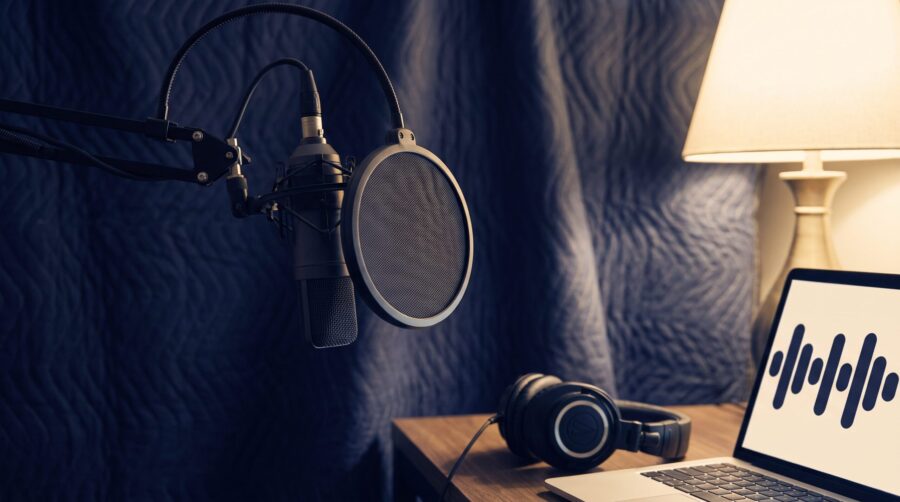
To record an audiobook at home you need a quiet, sound-absorbing space, a microphone on a stand, wired headphones, and audiobook recording software; the free program Audacity covers recording, editing, and export. A workable setup costs about $100 to $185 plus a computer, and the finished files must pass your retailer’s audio checks.
- What Audio Specs Does a Finished Audiobook Have to Meet?
- Start With the Room, Not the Microphone
- What Microphone and Hardware Do You Need?
- What Audiobook Recording Software Do You Need?
- How Much Does a Home Audiobook Setup Cost?
- Do All Audiobook Retailers Use the Same Audio Specs?
- Frequently Asked Questions
What Audio Specs Does a Finished Audiobook Have to Meet?
A home-recorded audiobook is accepted or rejected on measurable numbers, so the sensible way to plan a setup is to start from those numbers and work backwards. The most detailed public checklist comes from ACX, the platform through which most DIY audiobooks reach Audible and Amazon, so this guide uses ACX as its worked example. Other retailers set their own rules, which we cover further down. (For the whole route from finished manuscript to published audiobook, including rights and distribution choices, see our earlier overview of how to self-publish an audiobook; this post covers only the recording setup.)
Three of the ACX measurements matter most, because your room and equipment decide whether you can hit them:
- Average loudness (RMS): each file must measure between -23 dB and -18 dB RMS. RMS is the average level of the audio over time; keeping every file in this band means listeners never reach for the volume control between chapters.
- Peak level: the loudest instant in each file must stay below -3 dB, which leaves safety room so the file encodes without distortion.
- Noise floor: the background level when you are not speaking (the hiss of the room, the computer fan, traffic) must sit below -60 dB RMS.
One reading note before the rest: these audio levels are negative numbers counting down from zero, so “below -60” means quieter, not louder; a -65 dB noise floor passes a -60 dB limit with room to spare.

The remaining requirements govern the files themselves rather than the sound of your voice:
| Requirement | ACX rule |
|---|---|
| File format | MP3 at 192 kbps or higher, constant bit rate (CBR), 44.1 kHz sample rate |
| Channels | All files mono, or all files stereo; never mixed |
| File contents | One chapter or section per file, with the section heading spoken aloud |
| File length | No file longer than 120 minutes |
| Room tone | 1 to 5 seconds of silent room sound at the start and end of each file; no silence inside the file may run longer than 5 seconds |
| Credits | Separate opening and closing credit files naming the title, author, and narrator |
| Retail sample | A sample of 5 minutes or less, normally the first 5 minutes of the book |
| Narration | Human narration required unless Audible has specifically authorised otherwise |
One nuance that generic gear lists rarely mention: the checks run per file, not per book. A single chapter recorded on a day the neighbours mowed the lawn fails on its own, even if the other thirty pass. Consistency across sessions matters as much as any single measurement.
Start With the Room, Not the Microphone
The room you record in decides whether a spoken recording can meet a noise-floor limit like ACX’s -60 dB RMS; no microphone purchase rescues a noisy space. Two different problems need solving, and they need different fixes. Isolation keeps outside noise out: traffic, plumbing, the refrigerator, your computer’s fan. Absorption stops your own voice bouncing off hard walls and coming back as echo. Acoustic foam panels absorb reflections, but they do not block outside noise; a foam-lined room next to a busy road still fails.
A walk-in wardrobe or clothes closet is the classic budget answer because hanging clothes provide deep, irregular absorption on every side. If you have no suitable closet, hang moving blankets or heavy duvets around your recording position. Leave folds in the fabric and an air gap behind each blanket rather than stretching them flat against the wall; a draped, wrinkled surface absorbs far more than a taut one. Keep blankets away from heaters, lights, and computer vents.
Two free tests tell you whether the space works before you spend anything on treatment. First, record 30 seconds of silence at the level you plan to narrate at, then listen back on headphones with the volume up; everything you hear is what the noise-floor measurement will see. Second, clap once and listen for ringing; a sharp echo after the clap means the room needs more absorption. As a practical target, aim for a recording position of roughly 30 dB(A) or quieter, with no humming, ticking, or cyclical sounds; dB(A) is the loudness of the room itself, the number a phone decibel app reports. Public-health guidance on night-time noise treats below 30 dB(A) as the mark of a quiet bedroom, so a genuinely quiet bedroom at midnight is in the right territory.
A warning about those two numbers: room loudness in dB(A) and a file’s noise floor in dB RMS sit on different scales. One describes the sound in the air; the other describes the level inside the digital file, relative to the loudest signal the file can hold. They are not convertible, and passing one does not prove you pass the other. Use the phone app to compare rooms and spot noise sources; use your recording software’s own analysis (covered below) to test the actual files.
What Microphone and Hardware Do You Need?
Choosing an audiobook microphone involves two separate decisions that gear guides often blur together. The first is the pickup type: dynamic microphones are less sensitive and capture mostly what is directly in front of them, while condenser microphones capture more vocal detail but also more of the room: the fan, the echo, the street. The second is the connection: a USB microphone plugs straight into the computer because the electronics that boost and digitise the signal live inside the mic body, while an XLR microphone uses the standard professional connector and needs a separate audio interface (a small box that sets the recording level, converts the signal for the computer, and powers mics that need it). These axes are independent: dynamic and condenser mics both come in USB and XLR versions.
The practical rule for a home setup: match the microphone to the room, not to the spec sheet. In an ordinary, lightly treated room, a dynamic microphone worked close to the mouth (15 cm or so) is the lower-risk choice, because it simply picks up less of the room. A sensitive condenser rewards a well-treated space and punishes an untreated one. Entry-level examples of the dynamic type include the Samson Q2U, which carries both USB and XLR outputs, so it survives a later upgrade to an interface. The Shure MV7+ and RODE PodMic USB follow the same dual-output pattern a tier up, while the Audio-Technica AT2020USB-X and RODE NT1 Signature are condenser options for quieter, treated rooms.
Three accessories complete the chain, and none of them is optional in practice:
- Closed-back wired headphones seal around the ear, so the playback in your ears cannot leak into the microphone while you record over a mistake. Wireless earbuds add delay and compression; keep them for the gym.
- A pop filter is a mesh screen that sits between mouth and mic; it breaks up the blasts of air from “p” and “b” sounds before they hit the microphone.
- A boom arm or floor stand holds the mic off your desk, so keyboard taps and elbow bumps stop travelling up into the recording.
What Audiobook Recording Software Do You Need?
Free audiobook recording software genuinely covers the whole job. Software of this kind is called a DAW (digital audio workstation), the general term for a program that records and edits sound. Audacity (current stable version 3.7.8, released June 2026) records, edits, and exports the MP3 format ACX requires, and its own audiobook-mastering guide documents the exact settings. Many older articles claim Audacity lacks punch-and-roll, the correction technique narrators rely on; that claim is out of date, as the workflow below shows.
The workflow that gets a chapter from first take to compliant file:
- Record in WAV format at 44.1 kHz and 24-bit (a full-quality, uncompressed recording; the standard settings every audio editor accepts). Keep these working files as your masters, the full-quality originals every later version is made from; the MP3 comes last.
- Fix mistakes as you go with punch-and-roll. When you fluff a line, stop, click just before the mistake, and press Shift+D. Audacity plays the previous 5 seconds so you can match your pace and tone, then drops seamlessly into record at the splice point, blending the join with a 10-millisecond crossfade. This is how professional narrators keep long sessions moving, and in Audacity it is native, not a workaround.
- Master to the spec. Mastering is the final processing pass that brings loudness and cleanliness in line with the target numbers. Audacity’s guide prescribes three effects in order: a low roll-off filter that trims inaudible bass rumble, loudness normalisation to -20 dB RMS (comfortably inside the -23 to -18 band, with margin on both sides), and a limiter at -3.5 dB (a limiter stops any instant of the audio rising above the level you set). Setting it at -3.5 dB rather than exactly -3.0 dB absorbs rounding and the tiny level increases MP3 encoding can add; the same margin logic says aim for a noise floor around -65 dB rather than scraping in just under -60 dB.
- Check before you upload. ACX Check, a free plugin for Audacity, reports peak, RMS, and noise floor against the three thresholds in one click. ACX also runs a free online audio analysis tool on its site that checks a finished file before you submit the whole book.
- Encode to MP3 once, at the end, then re-measure the exported file. Bit rate is how much data the file spends per second of audio, and “constant” means it never varies, which is what retail encoders need. MP3 encoding can shift peaks slightly, so a file that passed as a WAV can fail as an MP3 if it was limited to exactly -3.0 dB. Check at the same time that each file still opens and closes with 1 to 5 seconds of room tone; keeping 30 seconds of recorded silence from each session gives you matching tone to paste in.
Paid alternatives earn their money on speed rather than on capability you cannot get free:
| Software | Price (US, August 2026) | What you gain |
|---|---|---|
| REAPER | $60 discounted licence (personal use or under $20,000/year revenue); $225 commercial; full 60-day trial | A complete professional DAW; punch-and-roll is assembled from its custom actions rather than offered as a ready-made narrator mode |
| TwistedWave | $9.99/month or $99.90 first year (desktop) | Simple editor with its own native punch-and-roll (a punch-in mode with a configurable lead-in) |
| Hindenburg Narrator | Subscription; priced on the vendor’s site | Purpose-built for audiobooks: punch-and-roll plus automatic levelling and a voice profiler |
| Studio One Pro 7 | $199.99 perpetual or $19.99/month | Full DAW with its own punch-style re-recording modes |
One caution on automated mastering services: Auphonic added an Audible/ACX loudness preset in January 2026, but its free tier processes only two hours a month and stamps a jingle on free output, so free-tier files cannot serve as retail masters.
How Much Does a Home Audiobook Setup Cost?
A compliant home audiobook setup costs about $100 to $185 at entry level, before the computer you already own. The honest floor depends on what is already in the house: if you own closed-back headphones and spare blankets, the only essential purchase is the microphone. The prices below are observed US retail prices from August 2026 and will drift; treat them as a snapshot, not a quote.
| Tier | Itemised | Approximate total |
|---|---|---|
| Entry (USB) | Samson Q2U pack $99.99; basic closed-back headphones about $50; heavier stand or pop filter about $35; Audacity and ACX Check free; blankets already owned | $185 (about $100 if headphones and blankets are owned) |
| Mid (USB) | RODE PodMic USB $199; sturdy boom arm $70; closed-back headphones $100; DIY treatment allowance $75; Audacity free | $444 |
| Mid (XLR) | RODE NT1 Signature $159; Focusrite Scarlett Solo 4th Gen $159.99; XLR cable and stand $65; Sony MDR-7506-class headphones $99.99; DIY treatment $75; Audacity free (add $60 if you later buy a REAPER licence) | $559 |
Readers in the UK and Australia should price from local retailer totals rather than converting these US figures, because UK prices include VAT and Australian prices include GST; as a calibration point, the Scarlett Solo interface listed at £122 in the UK against $159.99 in the US.
Do All Audiobook Retailers Use the Same Audio Specs?
Audiobook platforms do not share a single audio standard. ACX’s numbers are one platform’s delivery profile, and treating them as universal is one of the most repeated errors in DIY audiobook advice. Each platform publishes its own upload rules, and their shapes differ:
| Platform | Published audio requirements |
|---|---|
| ACX (the route to Audible and Amazon) | The full profile in the table above: measured RMS, peak, and noise-floor thresholds plus 192 kbps CBR MP3 |
| Spotify for Authors | Accepts MP3, WAV, or FLAC; direct self-published upload opened 1 August 2025; publishes no RMS, peak, or noise-floor thresholds |
| Kobo Writing Life | MP3 only; each file 200 MB or less; whole book 2 GB or less; mono encouraged; most audio compressed to about 64 kbps on ingestion |
| Google Play Books | MP3 or M4A with CBR preferred at 128 kbps or higher mono (256 kbps or higher stereo), plus FLAC or 16-bit PCM WAV accepted |
The practical consequence: keep your WAV masters permanently (WAV is lossless, meaning no quality has been thrown away) and encode a fresh delivery file per platform from them. A book mastered once to the strictest measured profile, ACX’s, will pass the format checks elsewhere, but always confirm against the live uploader for your chosen route before submitting, because these rules change. The -23 to -18 dB RMS figures still circulating online as “Findaway specs”, for example, come from Findaway Voices, a widely used audiobook distributor whose workflow was replaced in August 2025.
Recording an audiobook at home is a solved problem at modest cost: a quiet, blanket-treated corner, a dynamic USB microphone on a stand, closed-back headphones, and Audacity’s free record-master-check workflow will produce files that pass ACX’s checks and give you clean masters for every other platform. Spend your first effort on the room, test with a 30-second silence recording before buying anything, master to -20 dB RMS with a -3.5 dB limiter, and keep the WAV masters so every future retailer gets a clean encode. If you would rather hand the technical side to specialists, we covered what an audiobook production service actually does separately; and once your files are ready for the wider world, the questions turn to distribution, starting with whether your audiobook needs its own ISBN.
Frequently Asked Questions
What is the best free audiobook recording software?
Audacity is the standard free choice for audiobook work: it records, edits, and exports MP3 at the constant bit rate ACX requires, has native punch-and-roll recording on Shift+D, and supports the free ACX Check plugin that measures files against ACX’s three audio thresholds. REAPER also offers a full free 60-day evaluation before its $60 licence.
Can you record an audiobook on your phone or in GarageBand?
Phone voice-memo apps offer no control over recording level and no way to measure a file against the loudness and noise limits a platform like ACX checks, and a phone microphone picks up the whole room. GarageBand can record narration, and some narrators use it, but it has no punch-and-roll mode and no built-in RMS or noise-floor measurement, so Mac narrators typically pair it with, or replace it with, a tool that measures compliance, such as Audacity with ACX Check.
Do you need an audio interface to record an audiobook?
An audio interface is needed only if you choose an XLR microphone. A USB microphone contains its own signal-boosting and digitising electronics, so it plugs straight into the computer. An interface such as the Focusrite Scarlett Solo becomes necessary when you move to an XLR mic that needs external power, level control, and conversion.
Does acoustic foam soundproof a room?
Acoustic foam does not soundproof a room. Foam absorbs the reflections of your own voice inside the room, which reduces echo; it does not block outside noise coming in. Keeping traffic, plumbing, and appliance noise out requires mass, airtightness, or distance, which is why a quiet interior room or a clothes closet beats a foam-lined room beside a busy street.
Can you use AI narration instead of recording the audiobook yourself?
An ordinary ACX submission cannot use AI narration: ACX requires human narration and prohibits unauthorised text-to-speech or AI recordings. Separate authorised programs exist, including Amazon KDP’s invite-only “Audiobooks with virtual voice” beta for eligible ebooks and Audible’s publisher AI-narration pathways, each with its own eligibility rules and distribution limits.
